IPTV for South Asian Families UK: One Home, Three Generations, Many Screens
Start by counting how many screens are in use at the same moment on a busy evening, because that number decides almost everything about IPTV for South Asian Families UK. One home with three generations rarely watches together: grandparents settle in front of the main TV with a drama in their own language, parents catch up on a phone in the kitchen, and the children are on a tablet upstairs. Each of those is a separate connection, and a plan with too few will cut someone off at exactly the wrong time.
Once you know that peak figure, the rest becomes a question of comfort rather than capacity. An elder who reads Urdu or Gujarati more easily than English needs a menu they can move through with three or four button presses, younger viewers want subtitles they can switch on themselves, and the whole household needs broadband that copes when everyone is watching at once. Getting those details right at the start saves weeks of phone calls asking why the TV “has gone wrong again”.
Mapping the Screens in a Multi-Generation Home
In IPTV terms, a connection is one live stream running at a time, not one device you own. A household might have nine devices but only ever use three together, and that peak is what matters. Most providers enforce the limit on the account itself, so a fourth stream starting will either fail or knock another screen off.
The simplest way to find your figure is to walk through a normal weekday evening and a weekend afternoon, room by room.
The front room TV
This is usually the elders’ screen and the one that must never fail. It tends to run for long stretches, often live programming in a South Asian language, and it may be on while other family members are also watching elsewhere. Treat it as a permanent connection in your count.
Bedrooms and children’s devices
Teenagers often watch on phones or laptops, while younger children use a tablet or a smart TV in their room. These screens come and go, but on a Sunday or during school holidays they overlap heavily. Count them at their busiest, not their average.
Phones on the move and guests
A parent watching on the commute, a cousin visiting for a fortnight, or an older son who has moved out but still uses the family login all add to the total. Decide early whether those people are part of the household plan, because sharing a login outside the home usually breaches provider terms and can get the account suspended.
For most joint households, the honest count lands somewhere between three and five. Our guide to choosing multi-connection IPTV for families gives a quick way to match household size to connection count if you want a second view.

Making IPTV for South Asian Families UK Simple for Elders
The best technical setup in the world fails if a grandparent can’t find their programme without calling a grandchild. Elder friendly setup is mostly about removing choices rather than adding features.
Pick one player app for the main TV and stick with it. Many IPTV apps let you build a favourites list, so put the handful of language categories and live services the elders actually watch at the very top, and hide or lock the rest where the app allows it. A short favourites list beats a catalogue of tens of thousands of entries that nobody over seventy wants to scroll through.
The remote control matters more than people expect. A streaming stick or Android TV box with a simple remote is easier than an app on a smart TV that buries the player behind several menus. Where the TV supports it, set the IPTV app to open automatically when the TV switches on, so the elders never have to find it.
A few small habits help a great deal:
- Write a short card in the elder’s preferred language showing which buttons to press to reach their favourites, and keep it beside the remote.
- Keep the main TV on its own login profile or device so children’s viewing history and settings don’t clutter it.
- Turn off automatic app updates on that one device if updates keep moving buttons around, and update it yourself on a quiet day.
- Save the provider’s support contact in a family group chat, so whoever is home can report a problem with the account details to hand.
Parental controls belong on the children’s screens, not the elders’. Most player apps allow a PIN on adult or late-night categories, and setting this per device keeps the front room TV free of extra prompts.
Language, Audio Tracks and Subtitles
South Asian households in the UK often span several languages within one family. Grandparents may prefer Punjabi, Urdu, Hindi, Bengali, Tamil or Gujarati; their grandchildren may understand the spoken language but read only English. A good IPTV service handles this in three separate places, and it helps to know which is which before you buy.
The first is the content itself. Live programming in a given language either is or isn’t included in the service, so ask the provider directly which language categories are carried and request a trial to check rather than trusting a headline catalogue size. Large numbers on a sales page say nothing about whether the specific languages your family watches are well covered.
The second is audio and subtitle tracks on films and series. On-demand titles sometimes carry more than one audio track or English subtitles, but this varies title by title and depends on what the original source supplied. The player app has to support switching tracks too; most mainstream IPTV players do, usually through an options button during playback.
The third is the programme guide. An electronic programme guide (EPG) shows what is on now and next, and for elders it is often the easiest way to find a programme. Check during the trial whether guide information appears for the language categories you care about, because guide coverage can be patchier for international content than for UK listings.
Your Broadband Has to Carry Every Screen
Four people streaming at once puts real demand on a home connection, and the evening is exactly when local networks are busiest. A plan with enough connections is wasted if the broadband can’t feed them all.
Run a speed test at around eight in the evening, not mid-morning, and run it on the device that will carry the main TV stream. HD streams need noticeably less bandwidth than 4K, so if the speed looks tight, set the children’s devices to a lower quality and keep the best picture for the front room.
A wired Ethernet cable to the main TV or box removes most buffering complaints in larger homes, where Wi-Fi struggles through thick walls or across extensions. Mesh Wi-Fi is a sensible alternative when running a cable isn’t practical. Neither fix costs much compared with the frustration of a stream freezing during a family gathering.
Checking a Provider Before the Family Relies on It
IPTV is a delivery technology, and whether a particular service is lawful depends on whether it holds the rights to distribute what it carries. A polished website or easy card payment doesn’t prove that. Before committing the whole household, ask the provider plainly about its content rights and how it handles complaints, and be wary of any service that won’t answer.
In the UK you also need a TV Licence to watch or record live television as it is broadcast, on any device and through any service, so factor that in alongside the subscription itself.
During a trial, test the things your family will actually use: the language categories the elders watch, subtitle switching on two or three films, the programme guide, and how quickly support replies to a simple question. A provider that is slow to answer during a trial is unlikely to be faster once you’ve paid for a year. Our overview of the UK IPTV subscription market explains how connection limits are typically enforced, which is useful context before you ask providers about multi-screen accounts.
How Family Plans Are Priced
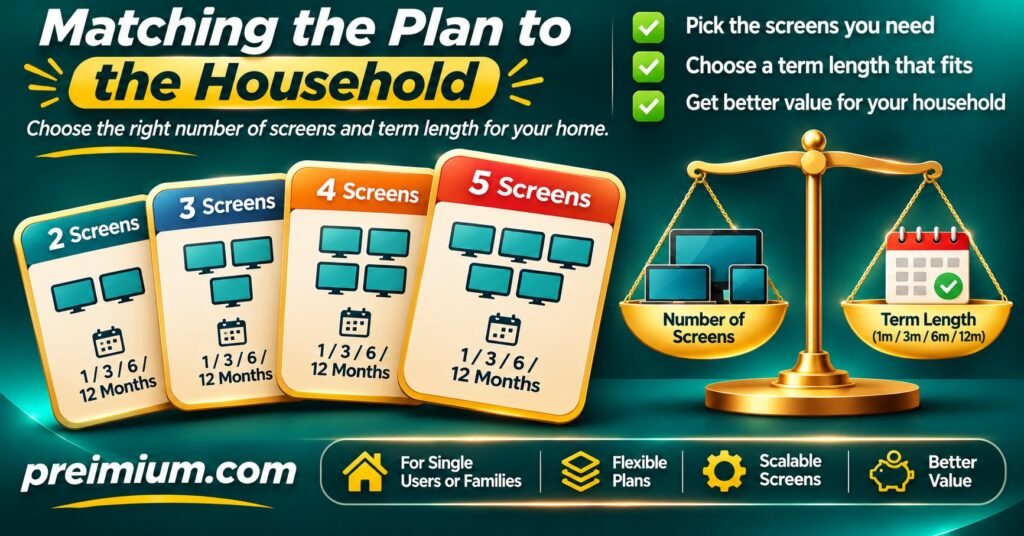
Prices vary widely between providers, so the useful thing is to understand what moves the cost rather than chase a single figure. Three factors do most of the work: the number of simultaneous connections, the length of the term, and whether extras such as 4K streams or additional devices are included or charged separately.
| Household shape | Connections to plan for | What usually moves the price |
|---|---|---|
| Couple living with one grandparent | 2 | Term length; 1 month costs more per month than 12 |
| Parents, two children and grandparents | 3 to 4 | Extra connections are often priced per screen |
| Two families sharing one joint home | 4 to 5 | Bundled multi-screen plans may beat buying two accounts |
| Large household with adult children | 5 or more | Whether 4K or extra devices are included or added |
Longer terms commonly lower the monthly cost, but they also lock the household in. A sensible approach is to take a short trial or a single month first, confirm the languages and support meet your needs, and only then move to a longer term. Ask the provider whether connections can be added mid-term if a relative moves in, and whether unused time carries over if you upgrade.
Choose a Plan for the Whole Family
With your peak screen count, language list and broadband check in hand, you can compare plans properly. Look for a provider that offers a trial, states its connection limit clearly, answers questions about language coverage, and lets you add a screen later. You can browse current IPTV subscription options and ask about multi-connection accounts before you decide.
Common Questions Before You Set Up a Family Plan
Can one account work on the TVs in two separate houses?
Usually not under the provider’s terms. Most household plans are meant for a single home, and streams running from two different addresses can trigger a suspension. If a married son or daughter lives elsewhere, a separate account is the safer route.
What happens if more people start watching than the plan allows?
The extra stream normally fails to start, or the newest one pushes an existing stream off. On a busy evening that tends to be the front room TV, which is why the elders’ screen should be counted first when you choose a connection number.
The Limit Worth Remembering
The real ceiling on IPTV for South Asian Families UK is rarely the app or the device. It is the combination of how many screens run at once and whether the service genuinely carries the languages your elders watch, and no catalogue size on a sales page can tell you either. Tonight, count the screens in use at the busiest hour and list every language the household watches; then take that list into a trial and test each item before paying for a longer term.