4K IPTV Requirements 2026: What You Actually Need
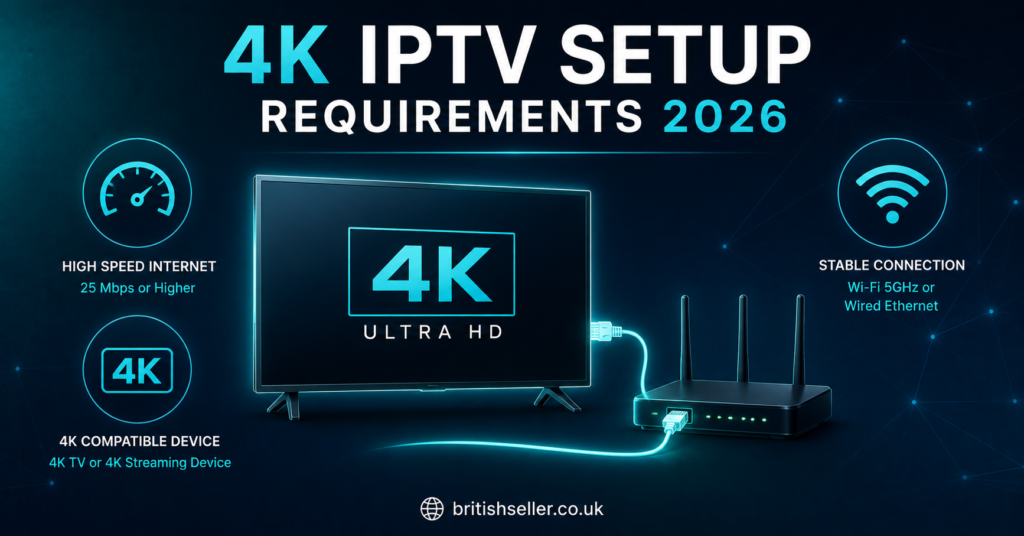
The 4K IPTV requirements 2026 boil down to three things: an internet connection of at least 25 Mbps per stream, a device that can decode 4K and HEVC video, and a stable wired or strong wireless setup. If you have those three covered, 4K playback works smoothly. If any one of them is weak, you will get buffering, drops in picture quality, or streams that refuse to load at all. Everything else in this guide is just detail on top of those three pillars.
That answer sounds simple, and the core of it is. But people run into trouble because they assume one strong piece makes up for a weak one. A fast connection does not help if your TV cannot decode the video. A powerful device does nothing if your Wi-Fi keeps dropping. So let’s walk through each requirement properly, in plain language, so you know exactly what to check before you spend money or time setting anything up.
Why the 4K IPTV Requirements 2026 Are Stricter Than HD
4K packs roughly four times the pixels of standard HD. That means four times the visual information has to travel across your internet line, reach your device, and get turned back into a picture, every single second. The 4K IPTV requirements 2026 are tighter than HD simply because the file is bigger and more demanding at every step.
Think of it like water through a pipe. HD is a steady trickle most home connections handle without thinking. 4K is a much heavier flow, and if the pipe is too narrow or has leaks, the flow stutters. This is why a connection that streamed HD perfectly last year might struggle the moment you switch to 4K content. Nothing broke. The demand just went up.
The good news is that home internet and consumer devices have caught up. Most modern setups can handle 4K if they are configured right. The friction usually comes from old hardware, congested Wi-Fi, or connections sold as “fast” that do not deliver consistent speed when it matters.
Internet Speed: The First of the 4K IPTV Requirements 2026
Speed is the requirement people get wrong most often. For a single 4K stream, you want a minimum of 25 Mbps of real, sustained download speed. Not the number on your contract, the speed you actually get during a busy evening when everyone in the house is online.
Why the gap? Internet providers quote “up to” speeds. A 50 Mbps line might deliver 50 at 3am and 22 at 8pm when the whole street is streaming. The 4K IPTV requirements 2026 are about that worst-case evening number, because that is when you will most want to watch.
Here is a simple breakdown of what speed supports what:
| Stream Quality | Minimum Speed | Comfortable Speed |
|---|---|---|
| HD (1080p) | 8 Mbps | 15 Mbps |
| 4K (single stream) | 25 Mbps | 40 Mbps |
| 4K (two devices at once) | 50 Mbps | 80 Mbps |
If two people in the house want 4K at the same time, you need to double up. A 25 Mbps line cannot feed two 4K streams. This is one of the most common reasons people think their service is broken when really their connection is just maxed out.
Pro Tip: Run a speed test on the device you actually stream on, at the time you usually watch, not on your phone at midday. That gives you the honest number that matters for 4K.
For anyone planning to supply customers rather than just watch, connection advice becomes part of the job. A good IPTV reseller panel lets you manage accounts, but the customer’s own internet is still what decides their picture quality, so it pays to set expectations early.
Wired vs Wireless and the 4K IPTV Requirements 2026
You can run 4K over Wi-Fi, but a wired Ethernet cable is more reliable every time. This is the part of the 4K IPTV requirements 2026 that costs almost nothing to fix and solves the most problems.
Wi-Fi signal weakens through walls, fights with neighbours’ networks, and drops when the microwave runs. A 4K stream needs steady delivery, and Wi-Fi by nature is bursty. An Ethernet cable from your router straight to your TV box gives a constant, dedicated connection with no interference.
| Connection Type | Stability | Best For |
|---|---|---|
| Ethernet (wired) | Very high | 4K, fixed TVs |
| 5GHz Wi-Fi | Good | 4K if router is close |
| 2.4GHz Wi-Fi | Lower | HD only, not ideal for 4K |
If running a cable is not possible, sit on the 5GHz Wi-Fi band rather than 2.4GHz, and keep your device within clear range of the router. A mesh Wi-Fi system also helps in larger homes. But if you can plug in, plug in. It is the single best upgrade for smooth 4K.
Pro Tip: If your stream looks fine for a few minutes then stutters, that pattern almost always points to Wi-Fi, not your internet speed. Try a wired test before blaming your provider.
The Device: Second Pillar of the 4K IPTV Requirements 2026
Your internet can be flawless, but if your device cannot decode 4K, you will never see it. The device is the second non-negotiable item on the 4K IPTV requirements 2026 list, and it trips up plenty of people who assume any modern gadget will do.
To play 4K IPTV, your device needs to support 4K resolution output and, just as importantly, HEVC (also called H.265) video decoding. HEVC is the compression method most 4K streams use. Without hardware support for it, a device either refuses to play the stream or tries to do the work in software, which causes stutter and overheating.
Common devices that handle 4K well include current-generation streaming sticks, Android TV boxes built for 4K, recent smart TVs, and games consoles. Older boxes, budget sticks limited to 1080p, and ageing smart TVs often cannot manage it, no matter how fast your connection is.
Pro Tip: Check the spec sheet for two phrases before buying any streaming device: “4K output” and “HEVC/H.265 decoding.” If both are listed, you are set for 4K IPTV.
App and Player Compatibility for 4K IPTV
The device is the hardware. The app is what actually plays the stream, and not every player handles 4K equally. A capable box paired with a weak player still underperforms, which is why app choice belongs in any honest look at the 4K IPTV requirements 2026.
A good IPTV player needs to pass the 4K stream straight to the device’s hardware decoder rather than processing it itself. Established players built for this purpose, available across most app stores, are generally a safer bet than unknown apps you find linked at random. The well-known ones get updated, fix bugs, and support hardware decoding properly.
Most setups use either an M3U playlist link or Xtream Codes login to connect the player to a service. Both work for 4K; the difference is convenience, not quality. Xtream Codes logins are often easier to manage because they handle channel updates automatically.
If you are setting up customers as part of a streaming business, walking them through player choice and login type is where a lot of support time goes. Tools like a proper UK IPTV reseller dashboard handle the account side, but the player on the customer’s screen is still theirs to pick correctly.
Storage, Power, and Other 4K IPTV Requirements 2026
Beyond speed and a capable device, a few smaller requirements quietly matter. These are the parts of the 4K IPTV requirements 2026 people forget until something goes wrong mid-stream.
Power supply is one. 4K decoding works the device harder, which draws more power and generates more heat. A streaming stick running off an underpowered USB port on the TV instead of its proper wall adapter can throttle itself and start stuttering. Use the supplied power brick, plugged into the wall.
Cooling matters for the same reason. Devices crammed behind a TV with no airflow can overheat during long 4K sessions and slow down to protect themselves. A little breathing room keeps performance steady.
| Often Overlooked | Why It Matters for 4K |
|---|---|
| Wall power, not USB | Prevents throttling and stutter |
| Airflow around device | Avoids overheating during long views |
| HDMI 2.0 or higher cable | Carries full 4K signal to the screen |
The HDMI cable is a sneaky one. To carry a true 4K signal at a smooth frame rate, you need an HDMI 2.0 cable or better. An old HDMI cable from a drawer might cap you at lower quality without any obvious error message. If your source is 4K but the picture looks like HD, check the cable.
Honest Notes on the Legal Grey Area
It would be dishonest to talk about IPTV requirements without addressing where the legal lines sit. The technology itself, the protocols, players, and panels, is completely legal. It is the same technology broadcasters and legitimate streaming services use to deliver content.
The grey area is content. Some IPTV services stream channels and events they hold proper rights to, and some do not. As an end viewer or a reseller, the responsibility to use these tools within copyright law sits with you. The hardware and apps are neutral; what you point them at is the part that carries legal weight.
This matters for the 4K IPTV requirements 2026 conversation because people sometimes blame “buffering” or “blocked streams” on their setup when the real cause is a service operating in ways that get interrupted. A solid, legitimate setup behaves predictably. If a stream constantly vanishes, the problem may not be your internet at all.
Pro Tip: If you are building a reseller business, keeping clear records, issuing invoices, and being upfront with customers protects you and keeps the operation professional. Treat it like any real business, because it is one.
Quick Troubleshooting Against the 4K IPTV Requirements 2026
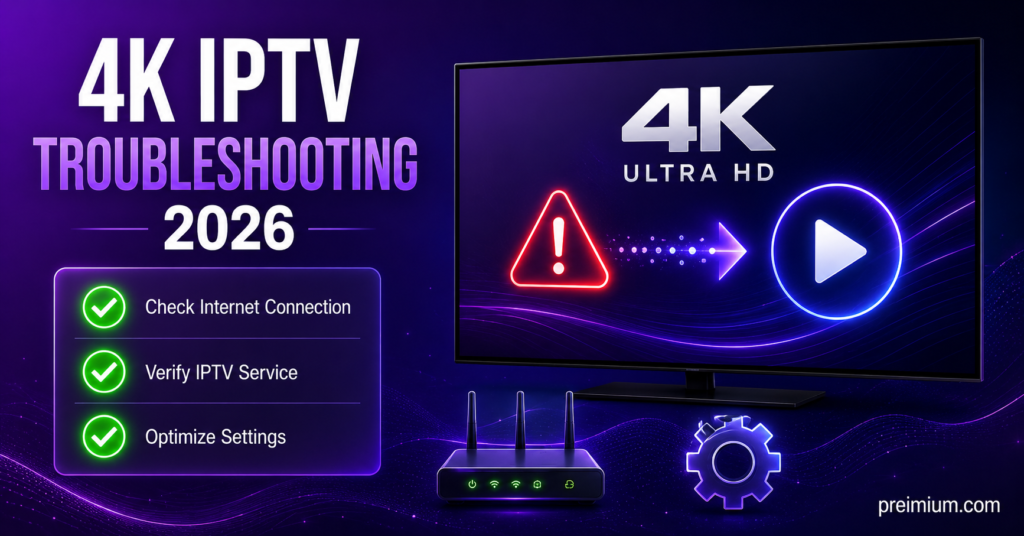
When 4K is not playing smoothly, you can usually trace it back to one of the requirements covered here. Working through them in order saves a lot of guessing. The 4K IPTV requirements 2026 double as a troubleshooting checklist when things go sideways.
Start with speed. Run a real test at your usual viewing time. If it is below 25 Mbps, that is your answer, upgrade your plan or reduce other devices using the connection. If speed is fine, move to the connection type and try a wired cable to rule out Wi-Fi.
Next, confirm the device genuinely supports 4K and HEVC, then check it is using its proper wall power and a HDMI 2.0 cable. Most problems hide in one of those spots. Anyone running a customer base will find this same order works for support calls, which is why a reliable IPTV subscription service and clear setup guidance go hand in hand.
If you have checked every requirement and a specific service still misbehaves while everything else streams fine, the issue likely sits with that service, not your setup. That distinction saves hours of pointless tinkering.
Conclusion
Meeting the 4K IPTV requirements 2026 is not complicated once you know what actually matters. Get your real internet speed above 25 Mbps per stream, use a device that supports 4K and HEVC, and give it a stable wired connection with proper power and the right cable. Nail those, and 4K plays the way it should: sharp, smooth, and reliable. Most problems people blame on “bad IPTV” trace straight back to one weak link in that chain, and almost all of them are fixable in an afternoon. Whether you are watching for yourself or building a reseller business, understanding these requirements puts you in control instead of guessing every time the picture stutters. Check the three pillars first, every time, and 4K stops being a gamble and starts being something you can simply rely on.
Setup Checklists for 4K IPTV
Subscriber Checklist (just want to watch in 4K):
- Confirm real download speed is 25 Mbps or higher at your viewing time
- Use a 4K and HEVC capable device (current streaming stick, box, or smart TV)
- Connect by Ethernet cable where possible, or 5GHz Wi-Fi close to the router
- Plug the device into wall power, not a USB port on the TV
- Use a HDMI 2.0 or higher cable to the screen
- Install a trusted IPTV player from an official app store
Reseller Checklist (selling subscriptions to customers):
- Test 4K performance yourself before promising it to customers
- Pick a panel with stable infrastructure and failover servers
- Prepare simple setup guides covering speed, device, and player
- Set realistic expectations: customers need 25 Mbps for 4K, and you cannot control their internet
- Offer both M3U and Xtream Codes login options
- Keep records and issue invoices to keep things professional
Sub-Reseller Checklist (supplying other resellers):
- Ensure your account has reached the credit threshold for sub-reseller access
- Brief your resellers on the 4K requirements so they can support their own customers
- Standardise pricing and setup guidance you pass down the chain
- Track which sub-resellers are active and supplied with credits
- Keep one dashboard view of subscriptions and sub-reseller panels together
- Pass on the same honest message about internet speed limits to everyone beneath you