Most IPTV Reseller Panel Data Backup problems start with one wrong assumption: that the panel is already backing up your business for you. It usually isn’t. Your provider may back up its own server database, but your customer list, renewal dates, contact details, payment history and sub-reseller records are yours to protect. The practical answer is to export those records on a regular schedule, keep encrypted copies in at least two separate places, and make sure you could rebuild your customer base on a new panel without relying on the old one.
Before setting anything up, log into your reseller dashboard and check what it actually lets you export. Some panels offer a full CSV download, some only show active lines on screen, and some let expired accounts disappear from view after a period. What you can export today decides how much work your backup routine needs, and it is far better to discover a gap now than on the day your panel stops loading.
The Panel Is Not Your Backup
A reseller dashboard is a window into someone else’s system. You create lines, spend credits and extend subscriptions, but the database behind those actions sits on infrastructure you neither own nor control. That arrangement is perfectly normal, and it is what keeps the reseller model simple. It also means your business records live at the mercy of decisions you don’t make.
What the provider usually holds
The provider holds the technical side: line credentials, connection limits, expiry timestamps, credit balances and the activity logs tied to each account. If the provider runs sensible server backups, that data can be restored after a hardware failure on their end. Whether it can be restored for you, into your account, after a dispute or a closure, is a different question entirely.
What only you hold
Everything that turns a line into a customer relationship tends to sit outside the panel or only partly inside it. The customer’s real name, the phone number they message you from, what they paid, how they paid, which device they use, their preferred renewal length and any promises you made during a support conversation. Lose the panel and keep these records, and you still have a business. Lose these records and keep the panel, and you are working from a list of usernames with no people attached.
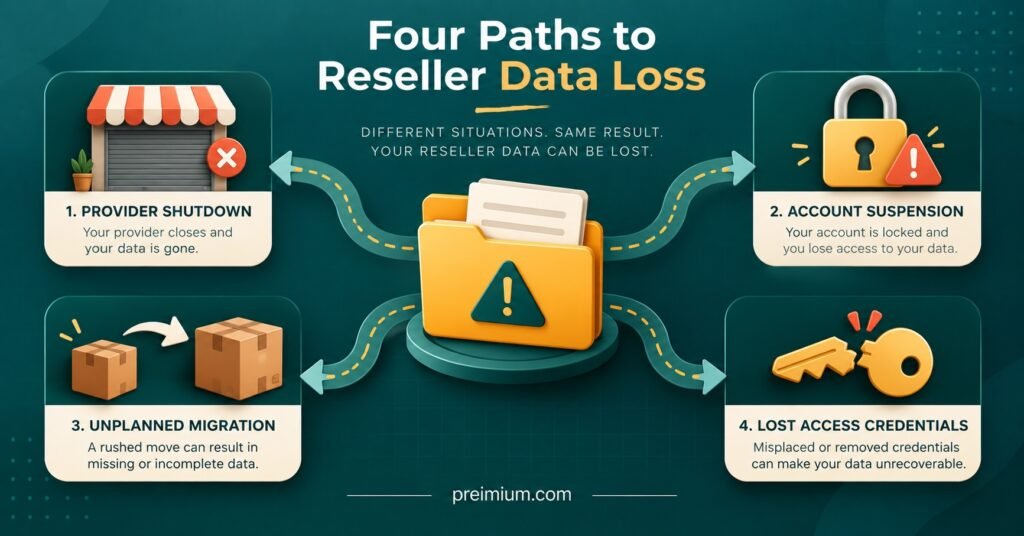
Four Ways Resellers Actually Lose Their Records
Server fires and hard drive failures are rarely the cause. For resellers, data loss is usually commercial or human.
The first is a provider closing, rebranding or moving to a new panel system without warning. IPTV Resellers who only ever worked inside the dashboard find themselves unable to tell who was due to renew next week.
The second is account suspension. A billing dispute, a policy change or a mistaken flag can lock you out, and while it is being resolved you have no visibility of your own customers.
The third is migration. Moving from one supplier to another sounds straightforward until you realise the new panel has no import function and your only customer list is a scroll of screenshots.
The fourth is closer to home: a weak password, a shared login or a sub-reseller with more permissions than they needed. One careless bulk action can delete or reset lines faster than anyone can stop it.
None of these is exotic. Each has a simple defence, which is having your own independent record.
Building an IPTV Reseller Panel Data Backup You Can Restore From
A backup is only useful if it lets you do something afterwards. The test is simple: if the panel vanished tonight, could you contact every paying customer tomorrow, tell them when their subscription was due to end, and set them up somewhere else without asking them to prove what they bought?
That test tells you which fields matter.
| Record | Why it matters | Where it usually lives |
|---|---|---|
| Panel username and line ID | Links your customer to the technical account | Panel export or dashboard |
| Customer name and contact method | Lets you reach them if the panel is gone | Your messages, notes or CRM |
| Start date and expiry date | Tells you what you owe and when renewals fall | Panel export |
| Package, connection count and device type | Speeds up rebuilding on a new panel | Panel plus your notes |
| Payment date, amount and method | Settles disputes and supports your accounts | Payment processor and your records |
| Sub-reseller assignment | Shows who is responsible for which customer | Panel hierarchy view |
| Credit purchase history | Proves what you bought from the provider | Provider invoices and panel logs |
You do not need expensive software for this. A well-structured spreadsheet, updated from each panel export, covers most small and mid-sized reseller operations. What matters is consistency: same columns, same format, same naming, every time.
Pro tip: Give every customer your own reference number that has nothing to do with their panel username. Usernames change when you migrate providers. Your reference stays the same and keeps payment history, support notes and renewal records tied together.
How often to export
Match your schedule to how quickly your records change. A reseller activating a handful of lines a month can export weekly without missing much. A busier operation with daily activations and renewals should export daily, or at least after each working session. Beyond the routine schedule, always take a fresh export before bulk actions, before changing sub-reseller permissions, and before any planned migration. Those are exactly the moments when something is most likely to go wrong.
If your panel offers no export at all, that tells you something about the provider. In the meantime, record each activation in your own sheet at the moment you create it. It is slower, but it is the only way to avoid depending entirely on a system you cannot copy.
Where the Copies Should Live
The widely used 3-2-1 approach works well here: three copies of your data, on two different types of storage, with one copy kept away from your main working environment. For a reseller, that might mean the working spreadsheet on your computer, an encrypted copy in a reputable cloud storage account, and a periodic encrypted copy on an external drive kept somewhere else.
Encryption is not optional. These files contain names, phone numbers, email addresses and payment details. If you serve customers in the UK, you are almost certainly acting as a data controller under UK GDPR, which requires appropriate security for personal data and the ability to restore access to it in a timely way after an incident. A lost laptop holding an unencrypted customer list is a data breach, and some breaches must be reported to the Information Commissioner’s Office within 72 hours of you becoming aware. Resellers serving customers in other English-speaking countries face their own privacy rules, and it is worth checking what applies where your customers live. This is general guidance rather than legal advice.
A few habits keep the backup itself from becoming a risk:
- Store only what you genuinely need. Card numbers and full payment credentials have no place in your spreadsheet.
- Delete records for customers who left long ago, once you no longer need them for accounts or disputes.
- Never send backup files through open group chats or unprotected email.
- Protect the cloud account and the panel login with strong unique passwords and two-factor authentication where available.
Pro tip: Once a month, open your most recent backup on a different device and check it actually works. A corrupted file or a forgotten encryption password is discovered far too often at the worst possible moment.
Questions Worth Asking Your Provider Before You Rely on Them
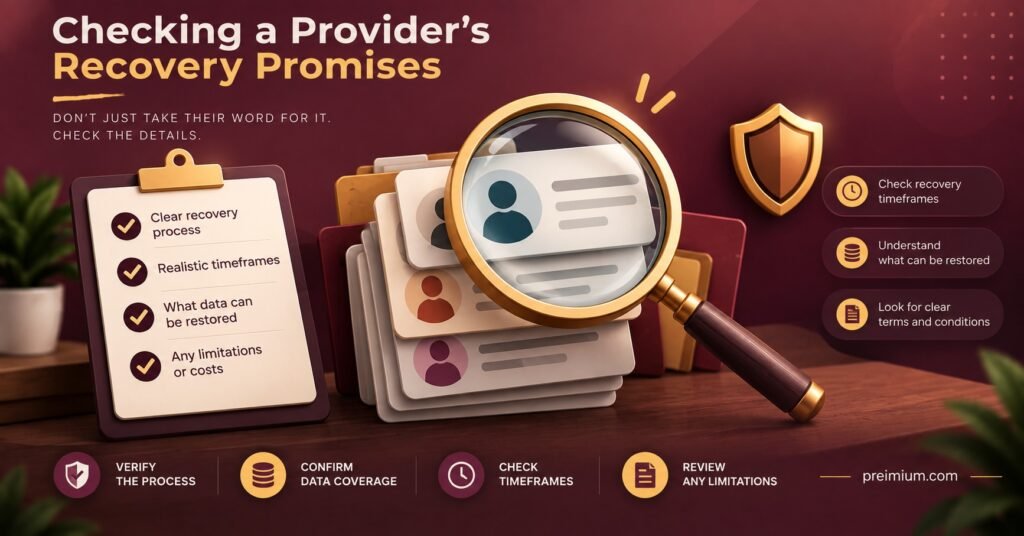
Your own records protect your customer relationships, but your provider’s practices decide how painful an outage or migration becomes. When choosing or reviewing a supplier, and during your IPTV reseller panel setup, it is fair to ask:
- Can I export my full customer and line list, including expired accounts?
- How often do you back up the panel database, and how long are backups kept?
- If a line is deleted by mistake, can it be restored, and within what timeframe?
- What happens to my data and remaining credits if I close my account or you change systems?
- Do sub-reseller actions appear in a log I can see?
Vague or evasive answers are informative. A provider that runs a professional operation should be able to describe its backup and recovery approach in plain terms, even if it won’t share internal technical detail. Treat claims about guaranteed uptime or zero data loss with caution unless they come with clear terms you can hold the provider to.
When the Worst Happens: A Restore Order That Keeps Customers Calm
If your panel becomes unavailable, the order in which you act matters more than speed. Customers forgive disruption far more readily than silence.
- Confirm the scope. Is it your login, the whole panel, or the service itself? Check with the provider before telling customers anything definite. Many issues turn out to be short-lived, and the guide to common IPTV reseller panel problems covers several that look worse than they are.
- Open your latest backup and sort customers by expiry date. Those renewing soonest need attention first.
- Send a short, honest message to affected customers explaining that there is a technical issue and when you will next update them.
- If the panel is gone for good, rebuild lines on the new platform in expiry order, using your records to honour the time each customer has already paid for.
- Update your backup the moment the new setup is live, with the new usernames mapped to your own customer references.
The reseller who can say “your subscription runs until the 14th and I’ll have you moved across today” keeps the customer. The one who has to ask “when did you last pay me?” often doesn’t.
A Note for Anyone Running Sub-Resellers
Sub-resellers add a layer of ownership questions. Decide in writing who holds the customer’s contact details: you, the sub-reseller, or both. If a sub-reseller leaves and takes their list with them, your panel records alone may not tell you who those customers are. Limit sub-reseller permissions to what they need, check the activity log regularly if your panel provides one, and ask them to share a basic customer export with you on a schedule you both agree. Building a lasting IPTV reseller business in the UK depends on clear responsibility as much as good service.
Questions Resellers Ask About Panel Backups
Is a screenshot of my panel a good enough backup?
It is better than nothing, but only just. Screenshots can’t be sorted, searched or imported, and they quickly become unmanageable as your customer list grows. Use them as an emergency fallback, not a system.
Can I back up the panel itself rather than just my records?
Normally, no. The panel software and database belong to the provider. What you can back up is the data you’re permitted to export and the records you keep yourself.
Should I store customer passwords in my backup?
Store line credentials only if your workflow genuinely requires it, and only in an encrypted file. Many resellers find it simpler to regenerate credentials on a new panel than to hold them long term.
How long should I keep old customer records?
Keep them as long as you have a real reason to, such as accounting requirements or open disputes, then delete them. Keeping personal data indefinitely adds risk without adding value.
Getting Your Records Under Your Own Control
A solid IPTV Reseller Panel Data Backup is less about technology and more about ownership. The provider controls the panel; you control the customer relationships, and those relationships only survive a closure, suspension or migration if you have recorded them independently. Export what the panel allows, fill the gaps with your own notes, encrypt the files, keep them in more than one place and test that they open. Your backup cannot restore a provider’s lost server data, and it will not protect you from choosing an unreliable supplier. What it will do is make sure a panel problem stays a temporary inconvenience rather than the end of your business. Start by running a full export today and checking what is missing from it.
Reseller Backup Checklist
- Run a full export from your dashboard and note which fields are absent
- Create a customer reference system independent of panel usernames
- Set an export schedule that matches how often you activate and renew lines
- Keep three encrypted copies, with one stored away from your main device
- Turn on two-factor authentication for your panel and cloud storage
- Ask your provider how they back up and restore reseller data
- Agree customer record ownership with every sub-reseller in writing
- Test-open your latest backup on another device once a month