IPTV Reseller Subscription Migration means moving every active customer from one panel, provider or parent account to another without anyone losing paid time or getting locked out. In most cases, nothing actually transfers. You recreate each line on the destination panel, set it to match the time the customer has left, run the old and new lines side by side for a short overlap, update each device with the new login details, and only disable the old line once the customer confirms everything works. Most of the risk sits in three places: paying for the same time twice, expiry dates drifting during the rebuild, and devices that are still pointing at the old server.
Before you plan anything, ask the destination one question: can lines be reassigned, or do they have to be rebuilt? If a sub-reseller is just moving to a different parent on the same backend, the provider can sometimes reassign the existing lines, and customers barely notice. Moving to a completely different provider is a different job. Usernames, passwords, server addresses and expiry dates all start from zero, and every customer device needs attention. Getting that answer in writing first tells you whether you have a quiet afternoon of admin ahead or a planned project lasting a few weeks.
Where the Paid Time Actually Lives
Customers think of their subscription as something they own. To a panel, it’s just a record on a particular server: a username, a password, a connection limit, a package assignment and an expiry timestamp. That record only exists inside the system that created it. A new panel can’t read it, so it can’t honour the remaining months unless you, the provider or an import tool recreate them.
This is the core operational problem. Your customer has already paid for the time they have left, and you’ve already spent credits on the old panel to create it. When you rebuild that line somewhere else, you spend credits a second time to recreate time you’ve already sold. Those duplicate credits are the real cost of a migration. Old panels rarely refund unused time on lines that are still active, so plan your budget on the assumption that they won’t.
The second layer is the device. Customers sign in in different ways depending on their app. Some apps use a server URL, username and password in the Xtream Codes style. Others load a playlist URL. Portal-style apps identify the device by its MAC address, which then has to be registered against the new panel. Any of these means someone has to update or re-enter details on that device. If your records don’t show which method each customer uses, you’ll only find out when a customer calls to say the screen is blank.
The third layer is your own records. Notes, renewal reminders, reseller tags and payment history usually stay behind on the old panel. If you haven’t been keeping a separate copy, a migration is when you’ll miss it. Regular panel data backups for IPTV panel resellers make this stage much easier, because the export you need already exists.
Three Kinds of Move, Three Different Jobs
People say “migration” about several different situations, and each one needs different preparation.
| Type of move | What usually carries over | What you rebuild |
|---|---|---|
| Sub-reseller moving to a new parent on the same backend | Lines, sometimes expiry, if the provider supports reassignment | Billing relationship, credit balance, dashboard access |
| Reseller moving to a different provider | Nothing at system level | Every line, every login, every device configuration |
| Merging two of your own reseller accounts | Depends entirely on the provider’s tools | Usually the lines in the smaller account |
The first row is the simplest when it works, but don’t take it for granted. Reassignment is a provider feature, not a standard part of panels, and some providers only do it through support tickets. Confirm that remaining time survives the move, and check whether connection limits and package assignments come across exactly or fall back to defaults.
In the second row, compliance needs as much attention as the technical work. IPTV is a delivery technology. Whether a service is legal depends on whether the content behind it is properly licensed for distribution where your customers live. A tidy dashboard, a good checkout page or a fast support reply tells you nothing about licensing. A provider change is the right moment to ask the new provider what distribution rights they hold and to keep their answer on file.
Account merges are often done for tidiness, but they only make sense if the provider can move lines across directly. If the only route is rebuilding, you’ll often pay more in duplicate credits than the tidier structure is worth. Running the second account until its lines expire naturally can be the cheaper option.

An IPTV Reseller Subscription Migration Workflow on the Panel
The sequence below works for a provider change, the most demanding of the three moves. For a reassignment, you can skip stages but should keep the same checkpoints.
Stage 1: Freeze changes and export
Choose a cut-off date after which nobody on your side edits lines on the old panel unless it’s urgent. Renewals, upgrades and new trials that come in during the move are where mistakes creep in. Export everything the old panel will give you: usernames, expiry dates, connection limits, packages, notes, and the creation date where it’s available. If the panel has no export, take dated screenshots of the line list. It’s tedious, but it gives you evidence if a customer later disputes how much time they had.
Treat that export as personal data, because it is. Store it somewhere access-controlled, share it only with the people doing the work, and delete working copies once the migration is signed off, in line with the data protection rules that apply to you.
Stage 2: Build a mapping sheet
This sheet is what the whole migration runs from. Give each customer one row: old username, contact method, device and login type, remaining days, connection count, new username, credits spent, date the new line was created, date credentials were sent, date the customer confirmed, and date the old line was disabled. Each date column becomes a checkpoint you can filter on later.
Work out remaining days from a single reference date, not from whatever day you happen to reach that customer. If you calculate customer 40’s time a week after customer 1’s, customer 40 either gets a free week or loses one, depending on which way you round.
Stage 3: Budget the credits before spending any
Destination panels charge by subscription period, and credit pricing varies between providers. Group your lines by the period that covers their remaining time, add the extra cost for multi-connection lines if the panel charges per connection, and then decide how to round. Partial months have to go either up or down. Rounding up costs you credits but gives the customer a small bonus. Rounding down saves credits but means a short renewal conversation sooner than the customer expects. Either is defensible. Applying both inconsistently is not.
Pro tip: Customers with only a few days left usually don’t need recreating at all. Move them at their natural renewal date, so you charge them for a fresh term on the new panel and never pay twice for their time.
Stage 4: Pilot, then batches
Pick three to five customers using different device types and move them first. Create their lines, send the new details, help them update their devices, and watch for a couple of days. A pilot catches problems a spreadsheet can’t, such as an app that caches the old server, a package that doesn’t match, or a connection limit that’s set lower than you expected.
After that, move customers in batches small enough that your support capacity can handle the follow-up calls. Ten customers who all get stuck on the same evening will take up the whole night.
Stage 5: Overlap and device swap
Keep the old line running while the customer switches over. The new line should already be active and correct before their credentials arrive, so any problem is with the device, not the account. Send short instructions that match their login type. A playlist user needs a new URL. An Xtream-style user needs the new server address and new credentials. A MAC-based device needs registering on the new panel, and the customer may need to restart the portal app.
Stage 6: Confirm, then close
Only disable an old line once the customer has confirmed the new one works on every device they use. Record the date in the mapping sheet. Lines where the customer has gone quiet need a set follow-up schedule, not an indefinite overlap that leaves two active logins in place.
Worked Example: Forty-Eight Lines in Three Groups
This is an illustrative scenario, not a real account. The credit figures assume a destination panel that charges one credit per connection per month. Your provider’s pricing will be different, so swap in their figures.
A reseller has 48 active lines on a panel they’re leaving, and the old service will stay reliable for roughly six weeks. Working from a single reference date, the mapping sheet sorts them into three groups.
Group A contains 14 lines with under 30 days left. Every one of them renews inside the six-week window, so none are recreated in advance. Each customer gets a new line at renewal and pays for a normal term. Duplicate credit cost: zero.
Group B contains 20 lines with between one and six months left. After rounding partial months up, the remaining time adds up to 68 single-connection months. Six of those 20 lines are two-connection accounts with an average of four months left, which adds another 24 credits on a per-connection panel. Group B total: 92 credits.
Group C contains 14 lines with between six and twelve months left, which adds up to 121 single-connection months after rounding. Group C total: 121 credits.
The duplicate spend comes to 213 credits. The reseller adds a buffer of about five per cent, roughly 11 credits, to cover lines that have to be deleted and recreated because of typing mistakes or wrong packages. That brings the purchase to around 224 credits before the first line is built.
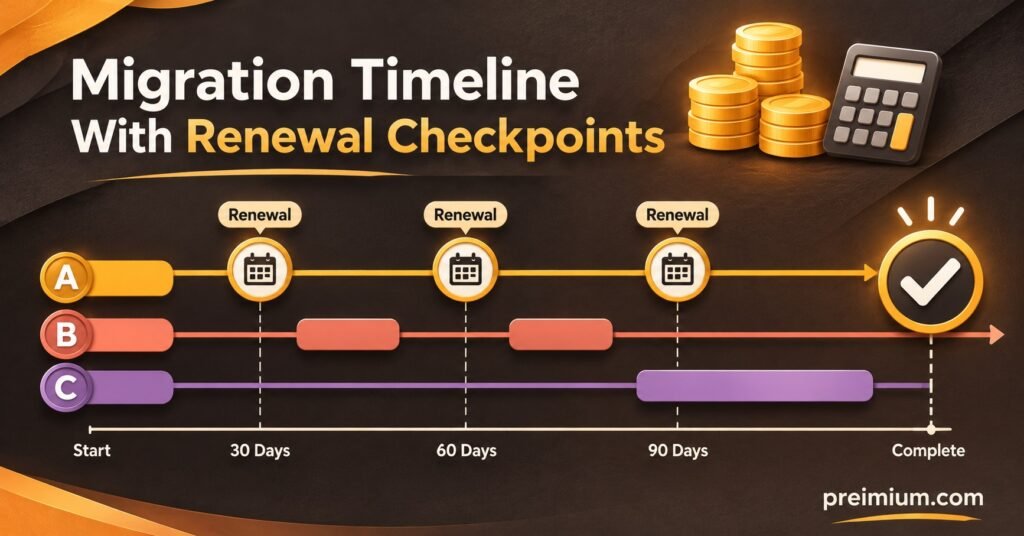
The timetable looks like this. On day one, the panel is frozen and data exported. On day two, the mapping sheet is checked against the export. On day three, a pilot of four Group B customers is moved, covering a playlist user, two Xtream-style users and one MAC-registered device. Days five to twelve cover the rest of Group B in batches of eight. Days thirteen to twenty cover Group C. Group A customers move as each of their renewal dates arrives, and the final old line is disabled once the last confirmation is in.
Two things in this example matter more than the totals. Moving Group A at renewal kept 14 lines out of the duplicate budget completely. And the two-connection accounts added nearly a quarter to Group B’s cost, which is easy to miss if the mapping sheet only counts customers and not connections.
Where Migrations Usually Go Wrong
Calculating remaining time on the day you reach each customer. This is the commonest source of complaints afterwards. Use one reference date for the whole migration and write it at the top of the mapping sheet.
Disabling old lines in bulk. It’s tempting to switch off the old panel the moment the last credentials go out. Customers who haven’t updated a second device or a family member’s device will lose service with no warning. Confirmation needs to cover every device on the account, not just the account.
Forgetting connection counts. A line set to one connection on the new panel, for a customer who paid for two, works fine until the second screen gets switched on. Check connection limits in the pilot and again in the audit.
Sending credentials before the line is ready. If the customer tries a login that isn’t active yet, the first impression of the new service is an error. Create and test the line first, then send the details.
Treating renewal reminders as automatic. Reminders set up on the old panel don’t come with you. Without rebuilding them, migrated customers expire without warning a few months later. A proper approach to expiry management for IPTV resellers needs re-establishing on the new panel before the first migrated line comes up for renewal.
Leaving sub-reseller access in place on the old panel. If sub-resellers or staff still have logins on a panel you’re leaving, they can create, extend or change lines you’re about to stop tracking. Revoke or downgrade that access as soon as the export is done.
Post-Migration Audit Checklist
Run this once the last old line is disabled and again a month later, when expiry errors usually start to appear.
- Every row in the mapping sheet has a confirmation date and an old-line-disabled date
- The number of active lines on the new panel matches the number of migrated customers, plus any new sign-ups made since
- Expiry dates on the new panel match the remaining days calculated from the reference date, allowing for your rounding rule
- Connection limits on each new line match what the customer paid for
- Package assignments match the original lines, with nothing reset to a default
- No line exists on the new panel without a matching mapping row, since test lines and duplicates waste credits and create confusion
- Credits spent match the budget, and the reason for any difference is recorded
- Renewal reminders are rebuilt for every migrated customer
- Staff and sub-reseller access on the old panel is revoked or read-only
- Working copies of the customer export are deleted or moved to restricted storage
If you already run a regular IPTV reseller line audit, fold these checks into the next scheduled one instead of keeping a separate process.
Questions Resellers Ask Before Moving
Can I ask the old provider to transfer my lines to the new one?
Between unrelated providers, generally no. Their systems don’t share line records, so the destination has to recreate them. Transfers are realistic only when both accounts sit on the same backend and the provider offers reassignment.
Do customers need to do anything themselves?
Usually yes, unless you manage their devices remotely. Playlist and Xtream-style users have to enter new details, and MAC-based devices need registering on the new panel. Short instructions that match each customer’s login type make this much quicker.
How long should old and new lines overlap?
Long enough for the customer to switch every device and confirm it works. A few days is typical for responsive customers. Have a set follow-up schedule for customers who go quiet, so overlaps don’t run on indefinitely.
Should I tell customers why I’m moving?
A short, honest explanation helps, such as wanting better reliability or support. You don’t need to criticise the old provider. What customers actually care about is what they need to do, by when, and that their remaining time is protected.
Closing the Old Panel With Confidence
A well-run IPTV Reseller Subscription Migration isn’t defined by how quickly it ends. It’s defined by every customer arriving with the same amount of time, the same connections and a working device, and by your records showing the proof. The duplicate credit cost is unavoidable for customers with a lot of time left, but timing short-remaining lines to their renewals and counting connections properly keeps it as small as it can be. If you haven’t checked yet, the next step is to confirm with your destination whether lines can be reassigned or have to be rebuilt. Your whole budget depends on that answer, and so does your timetable.