Three years ago, a subscriber of mine — lovely bloke, retired, just wanted to watch the football — rang me on a Sunday morning absolutely lost. He’d bought a Firestick, I’d sent him his IPTV credentials, and somehow he’d ended up on the Amazon app store downloading something called “IPTV Smarters” that wasn’t IPTV Smarters at all. It was a clone app with someone else’s branding slapped on it. His lines wouldn’t load, he thought I’d scammed him, and I spent forty minutes on the phone walking him through a sideload from scratch.
That call cost me time, nearly cost me a subscriber, and taught me something important: Firestick IPTV setup is where reseller reputations are won and lost. The device is brilliant — cheap, widely available, and practically every household in the UK already has one. But the setup process has enough friction points to generate a tidal wave of support tickets if you’re not prepared.
Here’s everything I wish I’d documented properly from day one.
Table of Contents
- Why the Firestick Dominates the UK IPTV Market
- Sideloading Explained: What It Is and Why It Matters
- Best IPTV Apps for Firestick in 2026
- Step-by-Step Setup Overview for Resellers
- Common Firestick IPTV Problems (And What Actually Fixes Them)
- MAG Box vs Firestick: Which Should You Recommend?
- How to Scale Your Firestick Subscriber Base
- IPTV Reseller Success Checklist
Why the Firestick Dominates the UK IPTV Market
The Firestick’s market position in 2026 is almost unfair. It’s available in every major supermarket, regularly discounted, and most subscribers already own one before they’ve even contacted you. That’s a significant advantage for resellers — you’re not selling hardware, you’re activating a device they’ve already bought.
UK adoption numbers tell the story. Amazon’s Fire TV platform sits comfortably as the most used streaming hardware in British households, ahead of Roku, Apple TV, and Android TV boxes. For IPTV resellers, that translates directly into a subscriber base that’s largely device-ready before you’ve done anything.
The flip side is that the Firestick runs a locked-down version of Android. Amazon controls the app store, and IPTV applications — for obvious reasons — don’t appear on it. That means sideloading is a non-negotiable part of every Firestick IPTV setup, and it’s the single biggest source of subscriber confusion in this entire business.
Pro Tip: Create a simple one-page PDF setup guide specific to Firestick and send it to every new subscriber alongside their credentials. It takes thirty minutes to write once and eliminates roughly 60% of your first-week support calls.
Sideloading Explained: What It Is and Why It Matters
Sideloading means installing an app from outside the official Amazon app store. On Firestick, the process requires enabling “Apps from Unknown Sources” in the device settings, then using either the Downloader app (which is available on the official store) or ES File Explorer to pull an APK file directly onto the device.
The Downloader method is the one I always recommend to subscribers. It’s available legitimately on the Amazon store, it’s straightforward, and it doesn’t require any technical background to use. The subscriber opens Downloader, types in a URL pointing to the APK they need, and installs it.
Where things go wrong is the URL step. Subscribers type incorrectly, land on the wrong version, or — as happened with my retired football fan — find a clone app through a dodgy Google search instead of using the URL you provided.
The solution is to give subscribers the exact Downloader URL yourself, pre-tested, pointing to a stable APK host. Don’t leave them to find it independently.
Best IPTV Apps for Firestick in 2026
There are three applications that genuinely hold up for Firestick IPTV use at scale. Everything else is either unstable, abandoned, or a reskin of something more reputable.
IPTV Smarters Pro
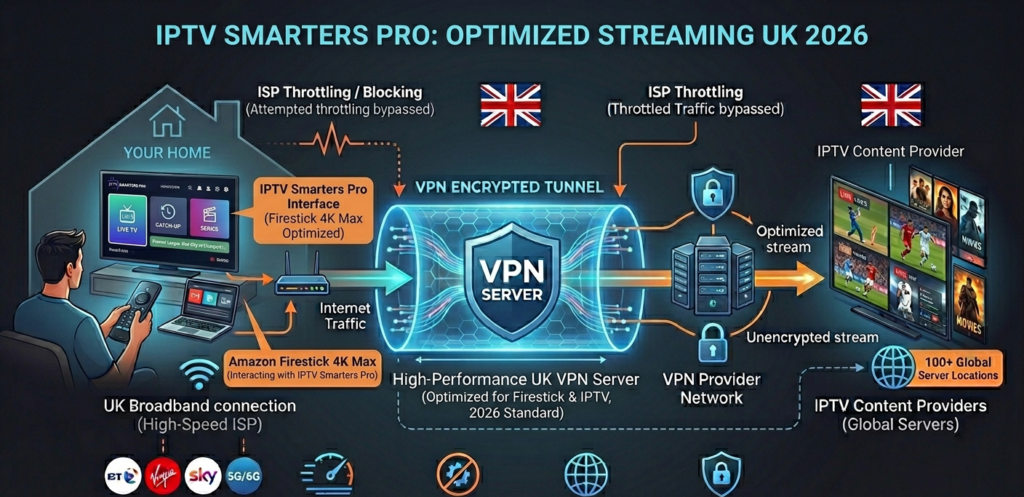
Still the most polished option for subscriber-facing use. The interface is clean, it handles both M3U and Xtream Codes connections, and the EPG integration is reliable enough that subscribers feel like they’re using a proper product rather than a workaround. For resellers using an Xtream Codes panel, Smarters Pro is the natural recommendation — the connection setup maps directly to panel credentials with no translation required.
TiviMate
The enthusiast’s choice and, honestly, the best-performing app on Firestick when configured properly. Buffer handling is superior to Smarters Pro, the UI is faster, and the catch-up functionality — where available — is more reliable. The catch is the paywall: full functionality requires a TiviMate Companion subscription. For subscribers who are technically comfortable and want the best experience, it’s worth it. For less technical users, the additional setup friction isn’t always worth the trade-off.
GSE Smart IPTV
The fallback option. Useful when subscribers are having compatibility issues with the other two, or when you’re dealing with an older Firestick model that’s struggling with more resource-intensive apps. Not my first recommendation, but worth having in your troubleshooting toolkit.
Pro Tip: Standardise on one primary app recommendation per subscriber segment. Technical users get TiviMate guidance; everyone else gets Smarters Pro. Trying to support multiple apps across your entire subscriber base multiplies your support overhead unnecessarily.
Step-by-Step Setup Overview for Resellers
You won’t be sitting next to every subscriber while they set up their device — so the quality of your setup documentation determines your support queue length.
The core process for Firestick IPTV setup via Smarters Pro runs as follows: enable unknown sources in Firestick settings, install Downloader from the Amazon app store, use Downloader to pull the Smarters Pro APK from a trusted URL, open the app, select Xtream Codes API login, and enter the credentials you’ve provided — URL, username, password.
That’s five steps. In my experience, steps one and three generate the most confusion. “Unknown sources” language alarms some subscribers who interpret it as a security warning (which it technically is, though benign in context). And the Downloader URL step is where typos and wrong versions slip in.
The fix is documentation with screenshots. Not paragraphs — screenshots. A visual of exactly which settings menu, exactly which toggle, exactly which screen. Build it once, update it when app versions change, and you’ve solved 80% of your first-week support burden before it happens.
Common Firestick IPTV Problems (And What Actually Fixes Them)
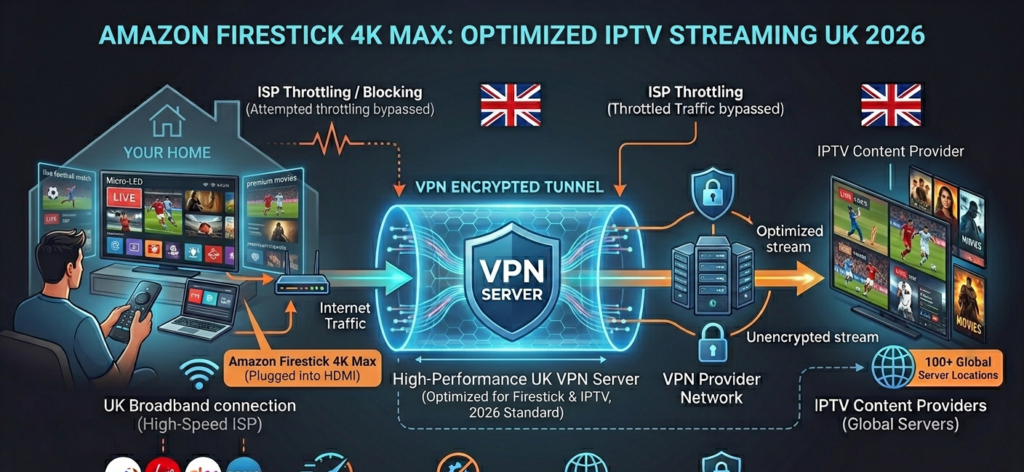
Buffering during peak hours. Almost always one of three causes: ISP throttling, an overloaded provider server, or insufficient Firestick processing headroom. Check the provider’s server uptime first — if it’s a panel-side issue, nothing the subscriber does will fix it. If uptime is solid, ISP throttling is the likely culprit, and a VPN resolves it in most cases. If it’s an older Firestick (2nd or 3rd generation), the hardware itself may be the constraint at higher bitrates.
App not loading or crashing. Usually a cached data issue or an outdated APK. Clear the app cache first — Settings > Applications > Manage Installed Applications > select app > Clear Cache. If that doesn’t resolve it, uninstall and reinstall from a fresh APK.
EPG not loading. EPG data pulls are timing-sensitive. If a subscriber loads the app immediately after setup, the EPG may not have had time to populate. A 15-minute wait after initial setup resolves this more often than any technical fix.
Firestick overheating. A genuine issue with older models during sustained streaming. The device throttles performance when hot, which manifests as buffering that appears intermittently. An HDMI extender cable (often included in the Firestick box but rarely used) keeps the device away from the TV’s heat output and resolves this entirely.
Buffering Risk=Stream BitrateAvailable Bandwidth×ISP Throttle FactorBuffering\ Risk = \frac{Stream\ Bitrate}{Available\ Bandwidth} \times ISP\ Throttle\ Factor
Keep that ratio below 0.7 and your subscribers will rarely experience interruptions. Above 0.85, buffering becomes likely regardless of panel quality.
MAG Box vs Firestick: Which Should You Recommend?
This comes up constantly and the honest answer is: Firestick for most subscribers, MAG box for the technically serious ones.
Firestick wins on accessibility, price, and the fact that most subscribers already own one. The sideloading friction is manageable with good documentation. The hardware handles standard HD streaming without complaint on current generation models.
MAG boxes offer a cleaner IPTV experience — they’re purpose-built for the use case, the portal setup is more stable, and there’s no sideloading required. But they cost more, require slightly more technical setup for subscribers who aren’t familiar with portal URLs, and you’ll spend more time providing device-specific support for the variety of MAG models in circulation.
For a UK reseller building a subscriber base from scratch, Firestick is the pragmatic starting point. It’s where your subscribers already are.
Pro Tip: If a subscriber pushes back on Firestick quality and wants something better, that’s your opportunity to move them to a higher-tier subscription with a MAG box recommendation. It’s a natural upsell conversation that feels like genuine advice rather than a sales pitch.
How to Scale Your Firestick Subscriber Base
The Firestick’s ubiquity is your growth asset. Referrals from existing subscribers almost always involve the same device, which means your setup documentation becomes more valuable as you scale — you’re not rebuilding the support process each time, you’re deploying the same tested workflow.
At the panel level, managing a growing Firestick subscriber base means clean credit management, reliable uptime from your provider, and fast response to the support issues that will inevitably arise. The operational infrastructure matters as much as the subscriber acquisition.
BritishSeller.co.uk is built for exactly this kind of structured growth. The panel management is clean, credit allocation is transparent, and the UK server focus means your Firestick subscribers get the consistency they need during high-demand periods — Premier League fixtures, weekend evenings, the kind of moments where a buffering stream becomes a refund request. It’s the kind of backend that lets you focus on growing your subscriber base rather than firefighting infrastructure problems.
✅ IPTV Reseller Success Checklist
1. Build Firestick-specific setup documentation with screenshots before you acquire your first subscriber. Reactive documentation written under pressure is always worse than documentation built calmly in advance.
2. Standardise your app recommendation. Pick one primary app per subscriber type and know it inside out. Supporting three different apps across your subscriber base creates three times the troubleshooting complexity.
3. Test every APK URL you give subscribers before sending it. A broken or outdated URL at the Downloader stage is the single most common setup failure point, and it’s entirely preventable.
4. Have a buffering triage process documented. Provider uptime check → VPN test → cache clear → hardware check. In that order, every time. It keeps support calls short and resolutions consistent.
5. Treat your panel infrastructure with the same rigour as your subscriber documentation. A well-managed panel with reliable credits and UK server performance is the foundation that everything else — your documentation, your reputation, your referrals — is built on.