A client messaged me on a Tuesday evening. “Mate, it’s not working.” No further context. Just those three words and a screenshot of a black screen. They had a brand new Firestick, freshly set up, and somehow between my instructions and their living room, the whole thing had fallen apart. No app, wrong URL entered, and they had somehow managed to install a completely different IPTV application they had found on YouTube in the meantime.
That scenario, in various forms, is something every UK IPTV reseller running Firestick clients has experienced. The Firestick is simultaneously the most popular device in your client base and the one that generates the most support headaches. Getting your setup process tight, understanding which apps perform best, and knowing how to troubleshoot remotely — that is what separates resellers who scale from those who spend their evenings doing free tech support.
This guide is the one I wish I had when I started. Practical, honest, and written for people actually running IPTV Firestick setups in the UK market in 2025.
Table of Contents
- Why Firestick Dominates the UK IPTV Market
- The Best IPTV Apps for Firestick in 2025
- Sideloading Without the Drama: A Proper Setup Process
- Buffering on Firestick — What’s Actually Causing It
- The Technical Reality of Firestick Performance
- How to Support Firestick Clients at Scale
- Firestick Limitations Your Clients Won’t Tell You About
- Why Your Panel Choice Matters More Than the Device
- IPTV Reseller Success Checklist
Why Firestick Dominates the UK IPTV Market
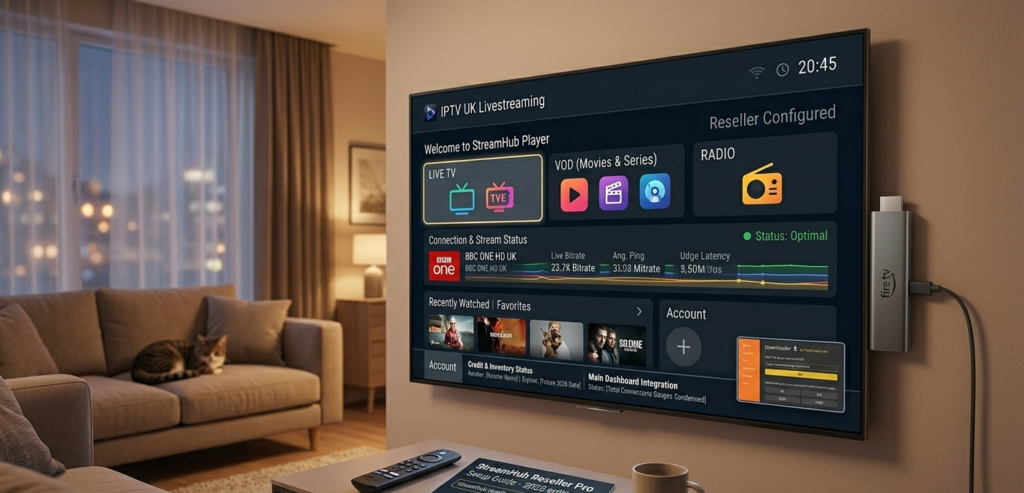
Walk into any UK household with an IPTV subscription and there is a reasonable chance you will find a Firestick plugged into the back of their television. Amazon has done the hard work for you — they have put affordable, capable streaming hardware into millions of British homes. For resellers, that means your client base already owns the device. You are not convincing anyone to spend £150 on a MAG box. You are telling them to plug in something they likely already have or can pick up for under £30.
The Firestick 4K and 4K Max have become the practical standard for IPTV Firestick clients in 2025. Sufficient processing power, reasonable RAM, and a form factor that does not require any explanation to someone who has never touched an IPTV setup before. That accessibility is why it dominates — and why, as a reseller, you need to know it inside out.
Pro Tip: Always recommend the Firestick 4K Max over the standard 4K to new clients. The additional RAM and Wi-Fi 6 support make a measurable difference to stream stability, particularly during peak periods. The price difference is minimal. The support headache reduction is significant.
The Best IPTV Apps for Firestick in 2025
This is where opinions diverge sharply in reseller communities, and I understand why. App preference is partly personal, partly dependent on your provider’s infrastructure, and partly about what your clients can actually navigate without calling you.
TiviMate remains the gold standard for clients who are even slightly technically comfortable. The interface is clean, the EPG integration is reliable, and the multi-panel support means your more enthusiastic clients can manage things themselves. The catch is that it requires sideloading and the premium version requires a small annual payment from your client. Some push back on that. Worth having a response ready.
IPTV Smarters Pro is my recommendation for less technical clients. It is available through a relatively straightforward sideload process, the interface mirrors what most people expect from a streaming app, and Xtream Codes login means setup is genuinely quick. I have onboarded clients over a five-minute phone call using Smarters. That matters when you have forty subscribers.
GSE Smart IPTV fills a useful niche for clients who want EPG flexibility and M3U playlist control. It is not as polished as TiviMate but it handles edge cases well. I keep it in my toolkit for clients who have unusual device configurations or specific EPG requirements.
What I actively steer clients away from are the no-name applications that appear regularly on Telegram groups with promises of better performance. In my experience, they offer nothing that established apps do not, and several have had data handling concerns that I would rather not expose my client base to.
Sideloading Without the Drama: A Proper Setup Process
Amazon does not make sideloading difficult — they just make it slightly inconvenient, which is enough to confuse a significant portion of your client base. Having a documented, repeatable setup process is one of the most underrated efficiency gains available to a growing reseller.
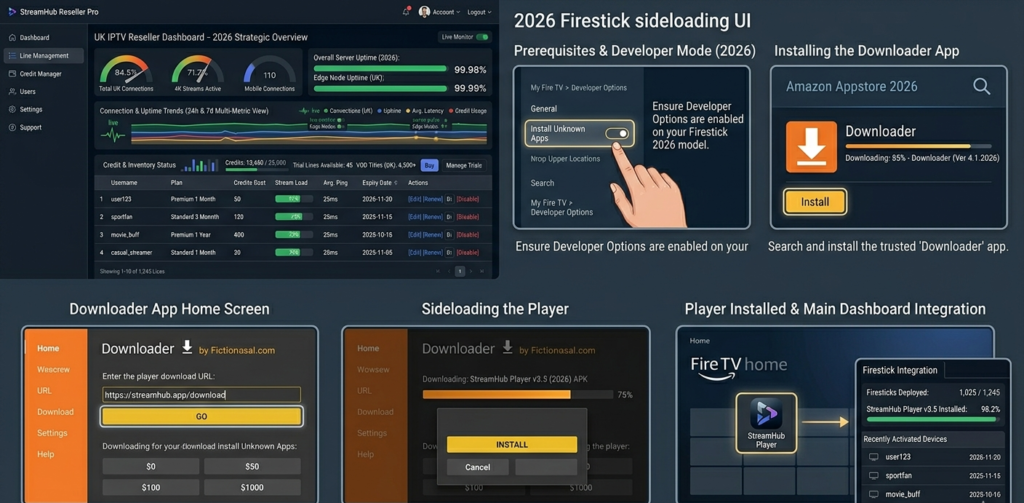
The core process for getting any IPTV app onto a Firestick in 2025 involves enabling apps from unknown sources in the developer settings, using the Downloader application to pull an APK directly from a reliable source, and installing from there. The steps themselves are simple. The challenge is communicating them clearly to someone who has never done it before.
I created a short video walkthrough for my clients eighteen months ago. It has saved me approximately three support messages per new signup. The time investment to create it paid back within the first fortnight.
Pro Tip: When sending setup instructions to clients, always include screenshots rather than written steps alone. The point where most Firestick clients get stuck is visually obvious — written descriptions of menu locations do not help someone who cannot find the menu in the first place.
Buffering on Firestick — What’s Actually Causing It
This is the conversation you will have more than any other as an IPTV Firestick reseller. A client messages saying streams are buffering. Your immediate instinct might be to check your provider. Sometimes that is the right call. Often, it is not.
Firestick buffering has four primary causes, and only one of them is your provider’s fault.
Device cache overload is the most common cause I encounter among established clients. Firesticks accumulate cached data from every application they run. After three to six months of use, this genuinely impacts streaming performance. A simple cache clear on the IPTV application resolves it immediately. I include a reminder about this in my monthly client communication.
Wi-Fi signal quality is the second most common cause and the hardest to diagnose remotely. A Firestick sitting behind a television in a Victorian terrace, two rooms away from a router, is fighting against solid walls and competing devices. Before assuming provider issues, always ask clients to test with the Firestick temporarily positioned closer to their router.
ISP throttling has become more relevant in 2025 as certain UK internet providers have increased scrutiny of high-bandwidth streaming. A VPN resolves this but introduces its own performance considerations. Worth discussing with clients proactively rather than reactively.
Actual provider server load is the fourth cause, and yes, sometimes it genuinely is your upstream provider struggling under demand. The way to distinguish this from the above causes is straightforward: check whether the issue is isolated to one client or affecting multiple simultaneously.
The Technical Reality of Firestick Performance
Understanding the hardware limitations of the Firestick helps you set realistic expectations with clients and diagnose problems accurately.
The processing overhead of running an IPTV application on a Firestick while maintaining a stable stream is not trivial. During 4K streams particularly, the device is working close to its performance ceiling. Any background processes — automatic updates, other applications running in the background — will impact stream quality.
Here is a simplified way to think about the bandwidth requirement relative to stream quality:
Required Bandwidth=Stream Bitrate×Active Connections+20% Buffer HeadroomRequired\ Bandwidth = Stream\ Bitrate \times Active\ Connections + 20\%\ Buffer\ Headroom
For a standard HD stream at 8Mbps with one active connection, you need approximately 9.6Mbps of stable throughput consistently available to the Firestick. For 4K streams at 25Mbps, that jumps to 30Mbps. Most UK fibre connections handle this comfortably. The problem is almost never total bandwidth — it is consistency and local network congestion.
Pro Tip: Recommend that clients with persistent buffering issues connect their Firestick via an ethernet adapter rather than Wi-Fi. Amazon sells an official adapter for under £15. The stability improvement is dramatic and eliminates the single most common cause of buffering complaints instantly.
How to Support Firestick Clients at Scale
When you have ten Firestick clients, support is manageable. When you have fifty, you need systems rather than reactive responses.
The most effective approach I have found is a tiered self-service structure. A pinned FAQ in your client WhatsApp group or Telegram channel covers the top five issues — cache clearing, re-entering credentials, updating the app, checking Wi-Fi signal, and restarting the device. Probably seventy percent of all support queries resolve at that level without you being directly involved.
For issues that escalate beyond self-service, having the ability to quickly check whether a specific line is active and connected from your reseller panel is invaluable. If their line shows as connected on your panel side, the problem is on their device or network. If it shows no connection, start with the provider. This simple diagnostic saves enormous amounts of back-and-forth.
Firestick Limitations Your Clients Won’t Tell You About
The Firestick is not perfect for IPTV. Being honest with clients about its limitations upfront prevents the specific type of frustration that comes from unmet expectations.
Older Firestick generations — anything prior to the 4K — genuinely struggle with high-bitrate streams during peak periods. If a client is running an original Firestick or Firestick Lite, their hardware is the limiting factor regardless of your provider’s quality. I recommend upgrades directly when I suspect this is the issue.
The Firestick also lacks the EPG reliability of dedicated MAG box hardware for clients who use electronic programme guides heavily. For casual viewers this does not matter. For clients who navigate primarily through the EPG rather than channel lists, it surfaces as a persistent minor frustration.
Why Your Panel Choice Matters More Than the Device
Here is something counterintuitive that took me a while to internalise: the device your clients use matters far less than the quality of the panel you are operating from.
A reliable panel with genuine anti-freeze infrastructure, transparent credit management, and UK-optimised server routing will make a mid-range Firestick perform beautifully. An unreliable panel will make a high-end MAG box frustrating. The Firestick is not your product — it is the screen through which your clients experience your actual product, which is your service reliability.
After testing various panel options over the past few years, britishseller.co.uk has been the consistent performer for my UK-focused client base. The panel management is straightforward, credit tracking is transparent, and the infrastructure holds during the peak demand windows that would expose a weaker setup immediately. If you are serious about building a Firestick-heavy client base in the UK market, the panel you sit behind matters enormously — and that one is worth evaluating properly.
✅ IPTV Reseller Success Checklist
1. Standardise on One or Two Apps Maximum Pick TiviMate for technical clients and IPTV Smarters Pro for everyone else. Supporting five different applications across your client base multiplies your support workload for no benefit.
2. Build a Setup Guide Before You Need One Create a documented, screenshot-based onboarding process before your client numbers make the absence of one painful. Video walkthrough if you can manage it.
3. Educate Clients on Cache Maintenance A monthly reminder to clear their app cache prevents the single most common Firestick support query you will ever receive. Build it into your client communication routine.
4. Always Verify Panel-Side Before Diagnosing Device-Side Check your panel’s connection data first when a client reports issues. It tells you immediately whether you are dealing with a line problem or a device problem and stops you wasting time in the wrong direction.
5. Recommend Hardware Upgrades Proactively Clients running older Firestick hardware are a ticking support clock. Getting ahead of hardware limitations with an honest upgrade recommendation protects both their experience and your reputation.