An IPTV reseller customer onboarding checklist covers everything that happens between a customer paying you and that customer becoming a confident, renewing subscriber: confirming their device before you take payment, activating and testing their first stream, checking in during the first week, and making sure the renewal doesn’t catch either of you off guard. Get any one of those stages wrong and you don’t usually get a complaint, you get silence, followed by a cancelled subscription and no explanation.
Why Onboarding Decides Whether An IPTV Customer Stays
Most IPTV panel resellers put their effort into the sale itself. The trial gets shared, the price gets agreed, the payment comes in, and the account gets created. That part is quick. What happens in the days immediately after is usually left to chance, and that’s the part that actually determines whether the customer renews.
A customer who struggles to install an app, can’t find their favourite channels in the EPG, or hits a buffering issue in week one rarely tells you about it. They simply don’t renew, and because they never raised the problem, you have no idea it happened. Treating the first month as a managed process rather than a one off transaction is what separates resellers with steady, growing income from resellers who feel like they’re constantly chasing new sign ups just to stand still.
IPTV Reseller Customer Onboarding Checklist By Stage
Breaking onboarding into stages makes it easier to see exactly where things tend to go wrong.
| Stage | What Happens | Risk If Skipped |
|---|---|---|
| Pre-sale | Trial given, device confirmed, price and terms agreed | Refund requests, mismatched expectations |
| Activation | Credentials issued, app installed, first stream tested together | Customer stuck on setup and gives up quietly |
| First week | Quality check-in, EPG explained, support contact shared | Buffering blamed on the service, early cancellation |
| Renewal window | Reminder sent ahead of time, payment confirmed | Lapsed access and lost recurring revenue |
Before The Sale: Setting Expectations That Prevent Refunds
Onboarding starts before any money changes hands. Ask what device the customer will actually watch on, not what they think sounds impressive. A five year old Smart TV behaves very differently to a current generation Fire Stick, and finding that out after payment rather than before it is one of the most common causes of an awkward refund conversation.
Give a short trial rather than a long one. A trial that runs for days invites the customer to compare it against every free stream they’ve ever tried, whereas a shorter, focused trial encourages them to judge it on picture quality and reliability, which is what actually matters once they’re paying. Be plain about pricing, what’s included, and what happens if they want to cancel. Vague terms at this stage tend to resurface as disputes later.
Activation Day: Getting The First 24 Hours Right
Once payment clears, speed matters, but speed without verification is worse than a short delay. Send login details and the correct app download link for their specific device, then ask them to open a stream while you’re still able to help. A customer who gets stuck alone on setup and can’t reach you quickly will often assume the service doesn’t work, even if the actual problem is a two minute fix.
Confirm the account details match what was agreed: the right package length, the right number of connections if they’ve paid for more than one device, and the right starting date. Small mismatches here are where most billing disputes originate months down the line.
Pro tip: Ask the customer to test playback on their weakest device first, not their newest one, so any compatibility problem shows up before they’ve committed emotionally to the service.
The First Week: Where Most New Customers Quietly Give Up
The first seven days are when a new subscriber decides, often without telling you, whether this was a good decision. Buffering during peak evening hours, confusion over how the electronic programme guide works, or simply not knowing who to contact when something looks wrong can all push a customer toward cancelling rather than complaining.
A brief message two or three days after activation, asking whether picture quality is holding up and whether they’ve found everything they were looking for, catches most of these problems while they’re still small. It also signals that support exists, which matters more to retention than almost anything else at this stage.
Pro tip: A short check-in message on day three, focused specifically on picture quality, catches most problems before the customer decides to cancel rather than raise them with you.
The First Renewal: Turning A Trial Customer Into A Long-Term Subscriber
The renewal is where onboarding either pays off or falls apart. Customers who had a smooth first month rarely think twice about renewing. Customers who had even one unresolved hiccup often use the renewal date as a quiet exit point instead of raising the issue.
Send a reminder a few days before the renewal date rather than on the day itself, and use it as a natural moment to ask whether anything needs adjusting, a different package length, an extra connection, or a device change. This is also the point where tracking how many IPTV credits should I buy for the month ahead becomes genuinely useful, since a predictable onboarding process makes renewal timing far easier to forecast. Understanding IPTV reseller panel customer lifetime value also becomes clearer once you can see which onboarded customers are actually sticking around past month one.
When Onboarding Goes Wrong: Common Mistakes And Fixes
A few mistakes show up repeatedly across new reseller businesses. Activating an account and disappearing until the next payment is due leaves customers with nowhere to turn when something goes wrong, and that silence is often mistaken for a service that isn’t properly supported. Not confirming device compatibility before the sale creates avoidable refund requests that eat directly into margin. Treating every customer identically, regardless of whether they’re a confident streamer or someone setting up their first app, tends to lose exactly the customers who needed the most guidance.
If cancellations are already becoming a pattern rather than an occasional occurrence, it’s worth working out your actual IPTV reseller churn rate rather than guessing, since a checklist only fixes the process going forward, not the customers who already left.
Pro tip: Keep a simple record of each customer’s device, connection details and start date. When they get in touch eight months later with a question, resolving it takes seconds instead of an awkward back and forth trying to piece together their account.
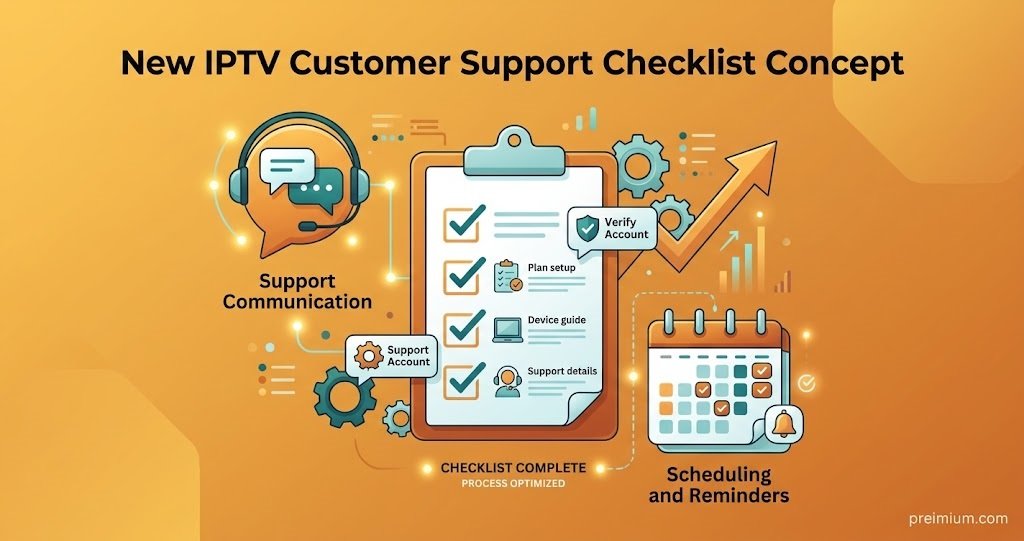
Reseller Onboarding Checklist
- Confirm device type and connection count before taking payment
- Send login credentials and the correct app link within minutes of payment clearing
- Watch the customer complete their first stream rather than assuming it worked
- Send a short check-in message on day two or three
- Note the renewal date somewhere you’ll actually see it in advance
- Ask for a review or referral only after the first successful renewal
Frequently Asked Questions
How long should IPTV reseller onboarding actually take?
Most of it happens within the first week. Activation and testing should take minutes, but the settling-in period, where a customer forms their opinion of the service, usually runs for five to seven days.
Should every customer be onboarded the same way?
Not quite. A customer who’s used IPTV before needs little more than credentials and a working stream. Someone setting up their first app benefits from a walkthrough and a follow-up message, since they’re far more likely to give up silently if something doesn’t work first time.
What information do I need from a customer before activating their account?
Their device type, how many connections they need, and confirmation of the package length and price they’ve agreed to. This avoids most of the disputes that surface later over billing or compatibility.
How soon should I follow up after activation?
Within two to three days is generally enough to catch early problems without feeling intrusive. Waiting until the renewal date to make contact again is usually too late.
What’s the biggest onboarding mistake new resellers make?
Going quiet after activation. Customers rarely chase a reseller to report a minor problem, they simply stop renewing, so the absence of complaints isn’t the same as everything working properly.
Conclusion
An IPTV reseller customer onboarding checklist isn’t really about paperwork or ticking boxes, it’s about removing the small frictions that make a paying customer quietly disappear before their first renewal. Confirming the device before the sale, testing the first stream together, checking in during the first week, and giving the renewal a bit of advance notice covers most of what actually determines whether someone stays. None of it guarantees every customer renews, and some will still leave for reasons outside your control, but a consistent process turns onboarding from a source of unpredictable churn into one of the more manageable parts of running a IPTV reseller panel business. Start with the checklist above on your next new customer and adjust it as you learn what your own subscribers actually need.