IPTV Reseller Multi-Connection Billing is the practice of charging each customer for the number of simultaneous streams their line allows, and making sure the credits your panel deducts for those connections match what you actually invoice. On most IPTV reseller panels, a line’s maximum connections setting controls how many devices can stream at the same moment, and providers commonly deduct more credits for higher limits. The exact rule varies by provider, so your price list has to be built on your own panel’s credit table rather than on a general assumption.
Where resellers usually lose money is not the pricing itself but the gap between two separate records. The panel keeps one ledger, showing what your provider charged you in credits. Your invoices, payment messages or spreadsheet keep another, showing what the customer paid. When someone adds a second screen halfway through a month, or a renewal quietly carries over the wrong connection count, those two ledgers drift apart, and nobody notices until the credit balance runs out sooner than expected.
What Multi-Connection Billing Actually Covers
A connection, in panel terms, is one active stream running on a single line at a time. It isn’t the number of devices a customer has installed the app on. Someone can have the service set up on a television, a phone and a tablet with a one-connection line, and it’ll work fine as long as only one of those devices is playing at once. The moment a second device starts streaming, the panel either blocks it or ends the first session, depending on how the provider handles the limit.
That distinction shapes billing in a practical way. Customers often ask for “three devices” when they really mean three people watching at the same time in different rooms. If you quote by device rather than by simultaneous stream, you’ll either undercharge the household that genuinely needs three streams or oversell extra connections to someone who only ever watches on one screen at a time.
Billing for connections happens at three distinct moments, and each one deserves its own rule:
- Creation: a new line is set up with a duration and a connection limit, and the panel deducts credits accordingly.
- Renewal: the line is extended, and the connection count may or may not carry over automatically.
- Mid-term change: a customer upgrades or downgrades their connection count before the current period ends.
Most billing errors cluster around the second and third moments, because creation is the step resellers pay the most attention to.
It’s worth keeping the legal position clear as well. IPTV is a delivery technology, and charging for connections doesn’t make the underlying content licensed. A reseller should only be selling access to services that hold proper distribution rights for the markets they serve.
Reading Your Provider’s Connection Pricing Before You Quote
Before you set a single retail price for a second or third screen, you need to know exactly how your provider deducts IPTV credits for each connection tier. Some panels charge in a straight multiple, where two connections cost twice the credits of one. Others use a reduced rate for additional connections, and some fix the connection count per package so it can’t be changed without creating a new line.
These are the details to confirm in writing with your provider or from your reseller dashboard documentation:
| What to confirm | How it affects your invoice |
|---|---|
| Credits per connection for each duration | Sets the minimum you can charge per extra screen without losing money |
| Whether connections can be edited on a live line | Decides if upgrades are a simple edit or a new line |
| Whether mid-term upgrades are charged pro-rata or in full | Determines what you charge a customer who upgrades halfway |
| Whether renewals keep the existing connection count | Prevents silent downgrades or overcharges at renewal |
| Whether credits are returned when a line is deleted early | Affects refunds and correction of mistakes |
If any of these answers is unclear, treat it as a cost you can’t yet price accurately. Quoting a cheap upgrade fee before you know whether the panel will charge a full extra credit for it is how small margins turn negative.

A Realistic Panel Workflow for IPTV Reseller Multi-Connection Billing
The workflow below assumes a typical IPTV reseller panel where you create lines, set a connection limit and pay in credits. Field names differ between panels, but the order of operations holds up across most of them.
Build a connection-tier price list from your credit costs
Start with your cost per credit, then work out the credit cost of every combination you sell: one, two and three connections across each duration you offer. Your retail price for each tier should sit comfortably above that cost after payment processing fees. Keep this list somewhere your whole team can see, because a sub-reseller or support assistant quoting from memory is a common source of underpriced extra screens.
Record the sale before you touch the panel
Log the customer reference, duration, connection count and amount paid before creating or editing anything. This sounds backwards, but it gives you a fixed record to check the panel against. If the panel action comes first, people tend to copy whatever the panel shows into the record, including any mistake they made while creating the line.
Create or edit the line with the agreed connection limit
Set the maximum connections field to exactly what the customer paid for. Double-check it on the confirmation screen before submitting, because a mis-click from 2 to 3 usually costs an extra credit and quietly gives away a stream you haven’t been paid for.
Compare the credit deduction straight away
Immediately after the action, note your credit balance and confirm the deduction matches what your price list predicted. A mismatch caught within a minute is easy to fix. The same mismatch found three weeks later during a balance top-up is much harder to trace.
Treat upgrades as their own transaction
When a customer adds a screen mid-term, record it as a separate sale with its own reference rather than overwriting the original. Check whether your panel lets you edit the connection limit on the existing line. If it doesn’t, and you have to create a new line, remember to disable or delete the old one so the customer isn’t left holding two active lines.
Confirm the connection count at every renewal
Renewals are where connection counts slip most often. Before extending a line, check what the customer is paying for now, since their household needs may have changed, and confirm the panel will renew at that count rather than defaulting to a single connection or keeping an old higher limit.
Pro tip: Put the connection count directly into the line’s notes or username convention, such as a short suffix showing the tier. When a renewal or support request comes in, anyone on the team can see the agreed limit without opening a separate spreadsheet.
If you’re still setting up the business side of this, the guide to starting an IPTV reseller panel business on a low budget covers how the credit system fits into early pricing decisions.
Worked Example: One Month, Thirteen Transactions, Three Tiers
The figures below are hypothetical and chosen only to show the method. Your own credit costs, connection rules and retail prices will differ.
Assume a provider rule of one credit per connection per month, a credit cost of £4, and no pro-rata charging, so any mid-term upgrade costs a full credit. During the month, the reseller records these sales:
- Six single-connection monthly lines at £12 each: 6 credits expected, £72 revenue
- Four two-connection monthly lines at £20 each: 8 credits expected, £80 revenue
- Two three-connection monthly lines at £27 each: 6 credits expected, £54 revenue
- One mid-term upgrade from one to two connections, charged at £5: 1 credit expected, £5 revenue
Expected totals are 21 credits, costing £84, against revenue of £211, leaving a gross margin of £127.
At the end of the month, the panel’s transaction log shows 23 credits deducted, not 21. Working through the log line by line against the sales record reveals two problems. One of the two-connection lines was created with three connections, costing an extra credit and giving that customer a stream they didn’t pay for. The upgrade was handled by creating a fresh two-connection line instead of editing the original, which cost 2 credits instead of 1, and the original single-connection line was still active.
The real credit cost was therefore £92, and the margin dropped to £119. Eight pounds sounds small, but the same pattern repeated across a few hundred lines a month becomes a meaningful leak, and the forgotten active line is also a security and support problem.
The per-tier margins tell a second story worth noticing:
| Tier | Credit cost | Margin per line |
|---|---|---|
| One connection | £4 | £8 |
| Two connections | £8 | £12 |
| Three connections | £12 | £15 |
Each extra screen adds less margin than the one before it. That’s a reasonable pricing choice if it wins larger households, but it means a mistake on a three-connection line hurts proportionally more. It also shows why the £5 upgrade fee only works because the provider charges one credit; if the rule were two credits, that upgrade would lose money.
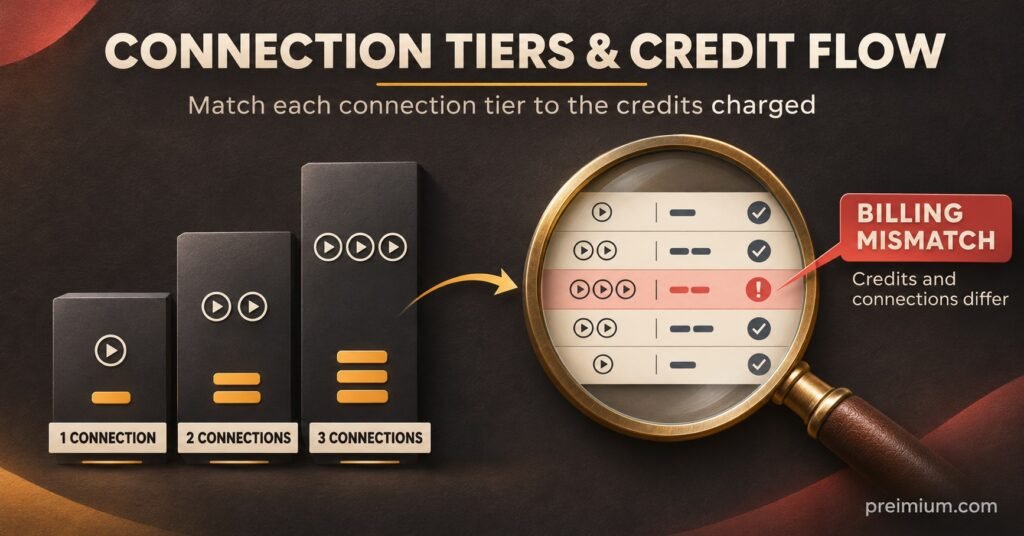
Where the Numbers Usually Drift
The worked example shows two of the most frequent errors, but several others are worth watching for.
Upgrades handled as new lines without closing the old one. If your panel can’t edit connection limits, a new line is unavoidable. Leaving the old line running, though, means paying for both until one expires, and the customer may share the spare credentials.
Renewals that ignore a changed connection count. A customer who downgraded from two screens to one during the year may still be renewed at two if the team copies the previous renewal. The reverse also happens, where an upgrade is lost at renewal and the customer complains that a second device has stopped working.
Extra screens priced below their credit cost. Discounting additional connections is a common way to attract families, but the discount must be checked against your current credit price. When a provider changes credit pricing, old upgrade fees can slip into loss without anyone revisiting them.
Trials converted with the wrong limit. Trial lines often run with a single connection. When a trial converts to a paid multi-screen plan, the limit needs updating, otherwise the first support ticket arrives the day the customer tries a second device.
Sub-reseller pricing that doesn’t account for the multiplier. If you supply credits to sub-resellers, make sure their guidance explains how connections affect credit use. A sub-reseller who quotes flat prices per line regardless of connections will run through credits faster than their sales suggest.
Unlogged credit returns. If your panel returns credits when a line is deleted early, those returns should appear in your records as well. Otherwise your monthly reconciliation will show a surplus you can’t explain.
There’s a support side to this too. When a customer reports that a stream keeps stopping, the cause is frequently that they’ve exceeded their connection limit rather than a technical fault. Clear explanations of how simultaneous multi-device viewing is secured can help customers understand why the limit exists, which reduces disputes about upgrade fees.
Monthly Audit Checklist for Connection Billing
Run this once a month, ideally before you buy your next batch of credits:
- Export the panel’s credit transaction log for the month
- Match each deduction against a recorded sale, upgrade or renewal
- Flag any line whose maximum connections differs from what the customer paid for
- Search for customers with more than one active line and confirm each is intentional
- Recalculate your margin for each connection tier at the current credit price
- Check that every upgrade fee still covers the credits it consumes
- Review renewals due next month and confirm their connection counts in advance
- Reconcile any credits returned from deleted or corrected lines
- Confirm sub-resellers are working from your latest connection price list
- Note the difference between expected and actual credits, and investigate anything above zero
If you’d rather reduce how much of this is manual, the overview of automated user management and auto-billing tools explains which parts of the process can be handled by software, although a periodic human check is still worth keeping.
Questions Resellers Ask About Connection Billing
Should I charge for extra connections or include them in a higher package?
Either works, provided the price covers the credit cost. Separate add-ons make upgrades easier to explain, while bundled packages simplify quoting. The right choice often depends on whether your panel allows connection edits on live lines.
What happens if a customer exceeds their connection limit?
Behaviour depends on the provider. Some panels block the new stream, while others end an existing session. In either case, it’s usually a sign the customer needs a higher tier rather than a technical issue.
Can I offer pro-rata upgrades if my provider charges in full?
You can, but you’ll absorb the difference. Before offering pro-rata pricing, work out the cost of the remaining period against the full credit the panel deducts.
How do I fix a line created with too many connections?
If the panel allows editing, reduce the limit and check whether any credits are returned. If it doesn’t, the cost is usually already spent, so record the correction and consider whether to charge the customer for the higher tier or leave it as a goodwill gesture.
Does connection billing differ for sub-resellers?
The credit rule from the provider is usually the same, but sub-resellers buy credits through you at a different price. Their connection pricing needs its own margin calculation, based on what they pay you per credit.
Keeping the Two Ledgers in Step
IPTV Reseller Multi-Connection Billing comes down to one discipline: every connection a customer streams on should be matched by a recorded payment, and every credit your panel deducts should be explained by a recorded sale. The pricing decisions matter, but most losses come from small operational slips at renewal, during upgrades or when a line is created in a hurry.
Your provider’s credit rules are the one part you can’t control, so confirm them before you set prices, and recheck them whenever credit costs change. Start with this month’s transaction log and the expected versus actual credit comparison. If those two figures match, your billing is working; if they don’t, the difference will usually point you straight to the line that needs fixing.