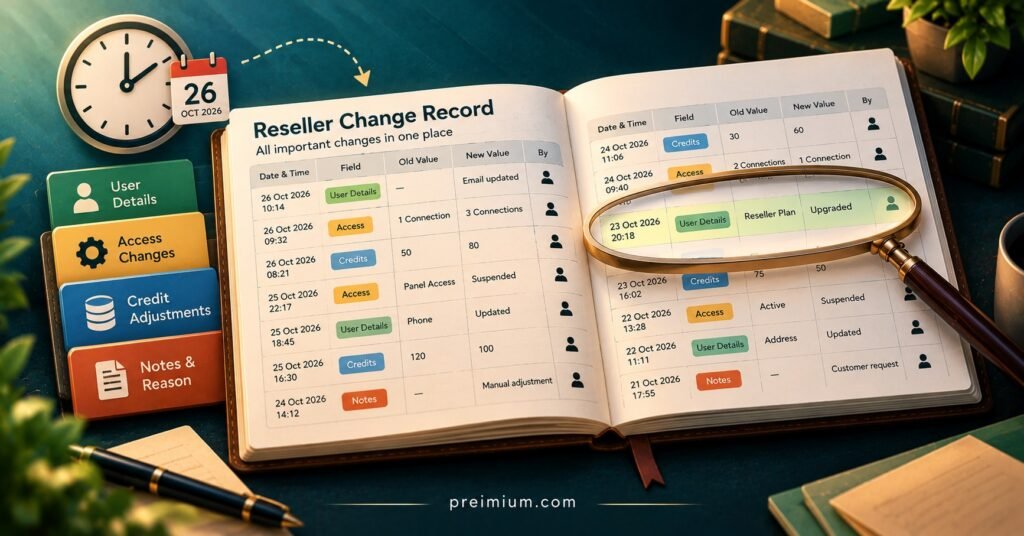
An IPTV Reseller Panel Change Log is a dated record of every change that affects your reseller panel: what the provider altered on its side, what you or your staff did inside the dashboard, and which customers were touched as a result. Kept properly, it lets you answer the questions that otherwise eat hours of support time, such as why a customer’s login stopped working on Thursday, where twelve credits went last week, or when the portal address was last updated.
Most panels already show some form of activity history, so it is tempting to assume the job is done. It usually is not. Built-in histories record actions without reasons, rarely capture changes the provider makes upstream, and may be trimmed or hidden after a set period. A reseller-kept change log fills those gaps, and it only needs to be a structured spreadsheet or shared document, provided someone owns it and updates it on the day things happen rather than reconstructing events from memory a week later.
Two Records That Usually Get Confused
When resellers talk about a “change log”, they often mean one of two different things, and mixing them up is the root of most record-keeping problems.
The first is the provider’s release record. This covers changes you do not control: a new portal URL or DNS address, a revised bouquet or category layout, an updated player app, altered connection limits, new credit costs for certain package lengths, or scheduled maintenance windows. Some providers publish these in a news section of the dashboard, others announce them in a group chat, and some barely announce them at all.
The second is the panel’s own activity history. This is the system log of actions taken in your account: lines created, trials issued, subscriptions extended, credits transferred to sub-resellers, passwords reset, accounts disabled. It is factual but thin. It will tell you that a line was extended by three months at a certain time; it will not tell you that the extension was a goodwill gesture after an outage, or that the staff member who did it was told to.
Your change log sits on top of both. It pulls the provider’s changes into one timeline alongside your own significant actions, adds the reason and the customer impact, and records what you did about it. If your IPTV reseller panel keeps a decent activity history, the change log does not need to duplicate every routine renewal. It needs to capture anything that changed how the service behaves, what it costs, or who has access.
What Belongs in an IPTV Reseller Panel Change Log
The fastest way to make a log useless is to let every entry be free text. Two people describing the same event will write it differently, and six months later nobody can filter by type or find the entry they need. A short, fixed set of fields solves that.
| Field | What to record | Example entry |
|---|---|---|
| Date and time | When the change took effect, not when you heard about it | 14 Oct 2026, 09:40 |
| Source | Provider, your team, a sub-reseller, or the customer | Provider announcement |
| Category | Access, credits, configuration, app, pricing, security | Configuration |
| What changed | One factual sentence | Portal URL replaced |
| Affected scope | All lines, a package type, a sub-reseller, named accounts | All active lines on old URL |
| Action taken | What you did in response | Customer notice sent; setup guide updated |
| Owner | Who handled it | Ops manager |
| Status and close date | Open, monitoring, closed | Closed 21 Oct |
A few practical notes on these fields. Record the effective time as precisely as you can, because the first question in any dispute is whether the customer’s problem started before or after the change. Keep the “what changed” sentence neutral and specific; “portal URL replaced” is useful, “big provider update” is not. And for credits, always note the balance before and after, since a credit discrepancy is far easier to explain when both figures sit next to each other.
Be careful with personal data. If entries name customer accounts, your log contains information about identifiable people, and in the UK that brings UK GDPR principles such as data minimisation and storage limitation into play. Use panel usernames or internal reference numbers rather than full names and contact details, restrict who can open the file, and set a retention period that you actually enforce.
Running the Log Week to Week
The workflow below assumes a small operation of one to five people. Larger teams follow the same steps but split ownership by category.
- Capture on the day. Any change that touches access, configuration, pricing or credits gets an entry within the same working day. Provider announcements are captured from wherever they arrive, whether that is the dashboard news panel, email or a messaging group, and the original message is saved or screenshotted alongside the entry.
- Classify before acting. Assign the category and the scope first. This short pause stops the common reaction of messaging every customer about a change that only affects one package type or one sub-reseller’s accounts.
- Link the change to customers. Use the panel’s filters to identify the accounts within scope. Panels with good search, bulk selection and expiry views make this far quicker, which is one reason automated user management tools matter beyond simple convenience.
- Decide on communication. Some changes need a customer notice (a new portal address, a revised app version); others are internal only (a staff permission change). Record the decision either way, including a deliberate decision not to notify.
- Verify the outcome. After the change settles, test it. Log into a test line, confirm the new configuration works on your common device types, and check that support tickets mentioning the issue are tailing off.
- Close or escalate. Mark the entry closed with a date, or flag it as still open with a note on what you are waiting for, typically a provider response.
Pro tip: Give every entry a short reference such as CL-2026-041 and quote it in related support tickets. When a customer comes back a fortnight later, searching the ticket system for that reference pulls up the full history in seconds.
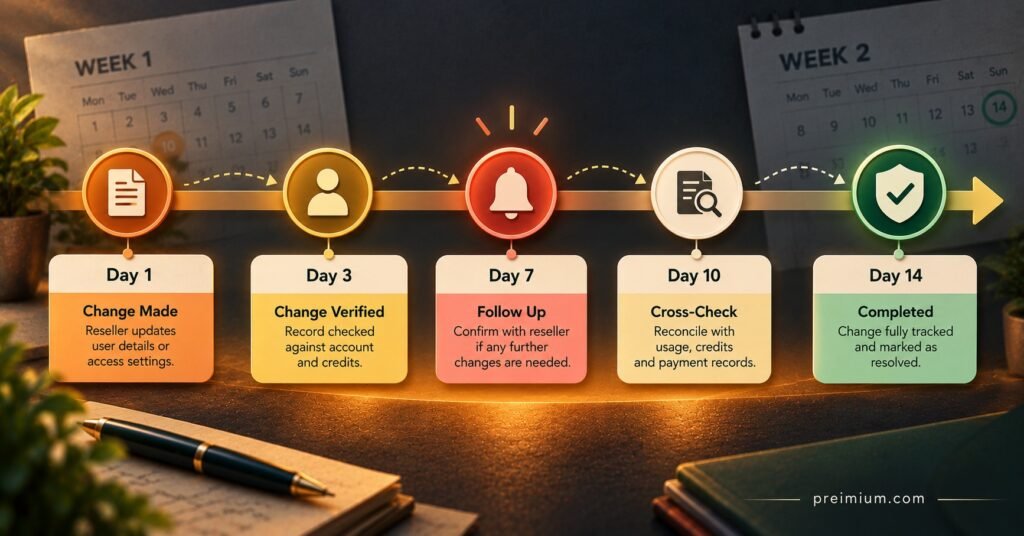
A Worked Example: One Portal Change, Fourteen Days
The following scenario is illustrative rather than drawn from a specific business, but it reflects a very ordinary sequence of events. A IPTV panel reseller runs around 90 active lines, 25 of which are managed by a sub-reseller. On a Monday evening, the provider posts a notice in its reseller group: the portal URL will change on Wednesday morning, and the old address will stop responding the following week.
Here is how the relevant entries would look in the log.
| Date | Entry | Outcome |
|---|---|---|
| Mon 12 Oct | CL-041 opened. Provider notice saved. Scope: all 90 lines. Sub-reseller informed directly. | Owner assigned; customer notice drafted |
| Wed 14 Oct | New URL live. Tested on two test lines across common device types. Notice sent to 65 direct customers. | 7 support tickets by evening, all old-URL logins |
| Thu 15 Oct | Sub-reseller confirms notice sent to their 25 customers. Setup guide on website updated. | Tickets tagged with CL-041 |
| Mon 19 Oct | Old URL stops responding. Remaining old-URL users contacted individually. | 4 customers updated by phone or chat |
| Wed 21 Oct | No new tickets for 48 hours. Entry closed. | Final note: notice timing worked; sub-reseller lag of one day noted |
Several things in that example only happen because the log exists. The sub-reseller’s one-day delay is visible, which gives the reseller something concrete to raise rather than a vague sense that “their customers always complain later”. The ticket spike is tied to a specific change, so nobody wastes time investigating server problems that do not exist. And when a customer claims in November that their service “just stopped” in mid-October, the reseller can see exactly what was sent, when, and to which accounts.
The same pattern works for credits. Suppose the closing balance on 21 October is eight credits lower than expected. Without a log, that becomes an argument with the provider. With one, the reseller checks every credit-related entry for the period, compares it against the panel’s activity history, and finds, for instance, that two goodwill extensions issued on 15 October were never recorded as entries. The discrepancy is explained internally, and the provider conversation never needs to happen. Strong support habits depend on this kind of evidence, as discussed in this piece on why customer service shapes reseller success.
Where Change Logs Go Wrong
Logging after the fact. An entry written three days later from memory is guesswork with a timestamp. The effective time is usually wrong, the scope is vague, and the reason has been half-forgotten. Same-day capture is the single habit that matters most.
Copying the panel’s activity history line by line. Recording every routine renewal buries the significant changes. If your panel already holds the routine history reliably, the change log should reference it, not replicate it.
Ignoring provider-side changes. Many logs only track what the reseller did, which leaves the most disruptive events unrecorded. A provider’s bouquet rearrangement or connection-limit change can generate more support tickets than anything you do yourself.
No owner. When “everyone” maintains the log, nobody does. One named person should be accountable, even if others can add entries.
Leaving entries open indefinitely. An open entry from August that nobody has looked at since tells you nothing about whether the issue was resolved. Close it, or record exactly what is still outstanding.
Storing too much personal data. Full names, phone numbers and payment details have no place in a change log. Panel usernames or internal IDs are enough to trace an account.
Treating sub-reseller changes as somebody else’s problem. Customers who buy through a sub-reseller still experience your parent service. If a sub-reseller disables lines in bulk or changes package types, it belongs in your log too.
Monthly Audit Checklist
Run this once a month, ideally in the same week you reconcile credits.
- Confirm every entry from the past month has a category, scope, owner and status
- Close or update any entry that has been open for more than fourteen days
- Compare the month’s opening and closing credit balance against logged credit entries and the panel’s activity history
- Check that every provider announcement received in the month has a matching entry
- Review sub-reseller activity for bulk disables, package changes or unusual extension patterns
- Spot-check three closed entries by testing the configuration they describe on a test line
- Remove or anonymise customer identifiers older than your stated retention period
- Confirm only current staff can open or edit the log, and revoke access for anyone who has left
- Note any repeated category (for example, three configuration changes in one month) and raise it with the provider
Questions Resellers Ask About Change Logs
Is a spreadsheet good enough, or do I need dedicated software?
For most small reseller operations, a well-structured shared spreadsheet with fixed columns and restricted access is entirely adequate. Dedicated ticketing or project tools help once several people are logging changes daily, but the fields matter far more than the tool.
How long should I keep change log entries?
Long enough to cover the disputes and reconciliations you realistically face, which for many resellers means at least the length of your longest subscription package plus a margin. Entries containing customer identifiers should follow a defined retention period under UK GDPR principles, after which they are deleted or anonymised.
Should sub-resellers keep their own log?
Yes, ideally in the same format as yours, so that entries can be compared directly. At minimum, ask them to report bulk actions and any change that affects more than a handful of customers.
What if my provider does not announce changes?
Log what you observe: the date customers started reporting a problem, what you tested, and what the provider eventually confirmed. A pattern of unannounced changes, documented over several months, is useful evidence when deciding whether that provider still suits your business.
Does a change log prove my provider is legitimate?
No. A change log records operational events; it says nothing about whether the content delivered through a service is properly licensed. IPTV is a delivery technology, and legal use depends on the distribution rights held by the provider and the laws where you operate. Licensing needs to be verified separately.
Keeping the Record Honest
An IPTV Reseller Panel Change Log earns its keep in the moments when something has gone wrong and you need a clear answer quickly: which change caused the tickets, where the credits went, what the customer was told and when. It does not need to be elaborate. A fixed set of fields, same-day entries, one accountable owner and a monthly audit will cover the vast majority of what a small or mid-sized reseller faces. Its limits are worth remembering too, since it can only be as complete as the information your provider shares and the discipline your team brings to it. If you do not have one yet, start with the fields table above, open your first entry for the next provider notice you receive, and let the monthly checklist shape the habit from there.