An IPTV Renewal Reminder System for Resellers is, at its core, a repeatable process for knowing which customer accounts are about to expire and reaching those customers before they lapse. Most UK IPTV panel resellers lose renewals not because the streaming quality dropped, but because nobody remembered to send a message on time. Getting this right is less about buying software and more about having a sequence you follow every single week without fail.
What an IPTV Renewal Reminder System for Resellers Actually Needs to Do
Before choosing any tool, it helps to separate the job into its actual parts. A working IPTV Renewal Reminder System for Resellers needs to do three things reliably: know when each customer’s subscription ends, prompt someone (you, or an automated message) at the right moment before that date, and record whether the customer responded. Miss any one of these and the whole system quietly stops working, usually without you noticing until a customer complains that their screen has gone blank.
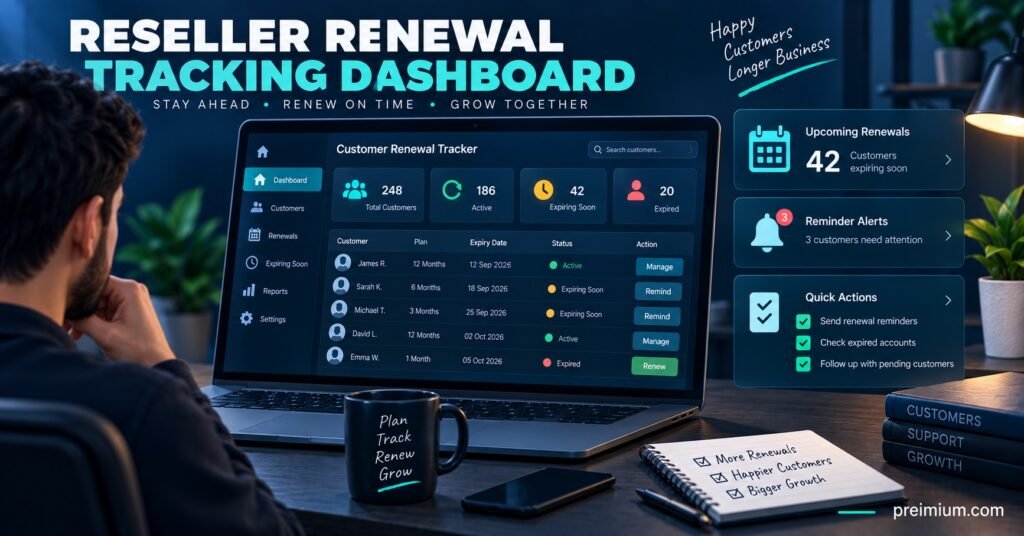
Many resellers assume the panel itself handles this. Some panels do flag expiring accounts on the dashboard, but a dashboard flag only helps if you log in and look at it daily. A genuine reminder system pushes the information towards you, rather than waiting for you to go and find it.
Starting Simple: The Spreadsheet Stage
Nearly every reseller who now runs an automated setup started with a spreadsheet, and there is nothing wrong with that as a first stage. A basic sheet with customer name, contact method, activation date, plan length and expiry date gives you a working reminder system as long as you actually check it on a fixed day each week.
The weakness of this stage is discipline, not the tool. A spreadsheet does not ping you. If you get busy for ten days, expiry dates slip past unnoticed, and those customers either lapse silently or renew somewhere else because your competitor happened to message them first. This stage suits resellers with under 20 or so active customers, where a manual weekly scan is genuinely manageable.
Moving to Tagged Contacts and Calendar Prompts
Once a customer base grows past that point, the next practical step is tagging contacts by expiry week inside whatever messaging app you already use, combined with recurring calendar reminders. Rather than scanning a full spreadsheet, you set a reminder for “message customers expiring this week” every Monday, and pull that list from your tracker.
This halfway stage catches most of the failures of the pure spreadsheet approach because the prompt now comes to you instead of relying on memory. It still depends on someone actually opening the reminder and doing the work, so it suits growing resellers who are not yet ready for a paid tool but need more structure than a static sheet provides.
Automated Messaging Once Volume Justifies It
Past a certain customer count, manual weekly reviews start eating hours that would be better spent finding new customers. This is where automated reminder tools, whether a dedicated renewal app, a CRM with scheduled messaging, or a panel add-on that emails or messages customers automatically ahead of expiry, start to pay for themselves.
The trade-off is setup time and, in most cases, a monthly cost. Automation also needs occasional supervision. A message template that goes out with the wrong plan length or an old price, because nobody updated it after a price change, causes more damage than a missed manual reminder would have. Automation removes the risk of forgetting, not the need to check the system is still saying the right thing.
| Method | Effort Required | Best Suited To |
|---|---|---|
| Spreadsheet and manual checks | Low setup, high ongoing effort | Under 20 active customers |
| Tagged contacts with calendar prompts | Moderate setup, moderate effort | Growing customer bases |
| Automated messaging tool | Higher setup, low ongoing effort | Larger or scaling operations |
Pro tip: Whichever stage you are at, keep expiry dates in one place only. Resellers who track dates in the panel, a spreadsheet and a messaging app all at once almost always end up with mismatched records, which causes either a missed renewal or an awkward double reminder.
Getting the Timing Right
Sending one reminder on the exact expiry day is usually too late. Most customers need a short window to actually act, particularly if payment involves a bank transfer or they need to check their own finances first. A workable cadence for many IPTV panel resellers looks like an early notice around five to seven days before expiry, a second and more direct prompt one or two days before, and a brief final message on the day itself for anyone who has not responded.
Three touches is usually enough. Sending more than that starts to feel like pressure rather than a helpful reminder, and customers who were always going to renew do not need to be chased repeatedly.
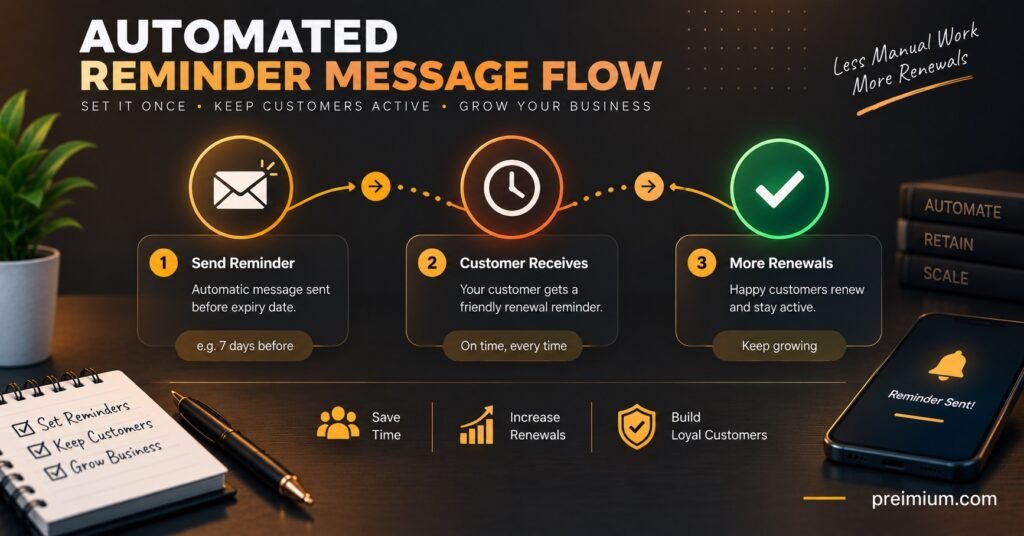
Pro tip: Word the early reminder as a heads-up rather than a demand. Something as simple as noting their plan is ending soon and asking whether they want to continue reads far better than a message that only mentions payment.
Where Reminder Systems Commonly Break Down
A handful of mistakes account for most failed renewal systems, and they are worth checking against your own setup.
Relying entirely on memory is the most common one, particularly among resellers who started with a handful of customers and never built a tracking habit as the list grew. Equally common is tracking expiry dates but never actually sending a message, treating the reminder as something for internal reference only rather than customer communication.
Inconsistent timing causes a quieter kind of damage. If some customers get a reminder a week early and others get nothing until the day their access cuts off, the second group reasonably feels less valued, even if the drop was unintentional. Finally, a reminder that arrives after the account has already stopped working reads very differently to a customer than one that arrives while the service is still running. The first feels like an outage; the second feels like good service.
Sub-Reseller Considerations
If customers are managed through a sub-reseller structure, reminder responsibility needs a clear owner. Sub-resellers who assume the parent account is tracking expiry, while the parent assumes the sub-reseller is handling their own customers, is a gap that shows up as complaints from neither side realising the reminder never went out. Agreeing in writing who owns customer communication, even in a one-line message, avoids this.
IPTV Renewal Reminder System for Resellers: Quick Reference Checklist
- Record activation date, plan length and expiry date for every customer in a single tracker
- Set a recurring reminder to review upcoming expiries at least once a week
- Send an early notice around five to seven days before expiry
- Send a direct follow-up one or two days before the account lapses
- Keep message templates updated whenever pricing or plans change
- Confirm who is responsible for reminders in any sub-reseller arrangement
- Review which customers consistently renew late, and adjust their timing individually
Frequently Asked Questions
Do I need paid software to run a renewal reminder system?
No. A spreadsheet paired with a weekly calendar reminder is a genuine system if you follow it consistently. Paid tools become worth considering once manual checks start taking more time than they save.
How many reminders should I send before a customer’s plan expires?
Most resellers find three touches, an early notice, a closer follow-up, and a final message on the day, strikes the right balance between helpfulness and pestering.
What should I do if a customer misses their renewal date entirely?
A short, friendly message noting their access has paused and asking if they would like to reactivate usually works better than treating it as a lost customer. Many lapsed subscribers come back within a week or two if contacted promptly.
Can automated reminders replace manual customer contact completely?
Automation handles timing reliably, but it should not fully replace personal contact for long-standing customers or anyone showing signs of dissatisfaction. A manual message often saves a renewal that an automated one would not.
How do I avoid sending reminders with outdated pricing?
Review and update message templates every time you change your plans or pricing, and check a sample reminder after any update before it goes out to your full customer list.
Conclusion
An IPTV Renewal Reminder System for Resellers does not need to be complicated to work. What matters is consistency: knowing exactly when each customer expires, reaching them with enough notice to act, and keeping that process the same whether you have five customers or five hundred. Start with whatever level of tracking matches your current customer count, whether that is a simple spreadsheet or a fully automated tool, and revisit the setup as your business grows. For panel features that support tracking renewals alongside customer accounts, see how the IPTV reseller CRM setup works, and pair your reminder timing with a broader IPTV reseller panel renewal strategy to reduce your IPTV reseller churn rate over time.