It was a Saturday afternoon. Kick-off in twenty minutes. Forty-three active connections all pointed at the same M3U playlist loaded into IPTV Smarters Plus. Then the dashboard went red. Not one stream. Not five. All of them. Buffer spiral, then nothing.
That wasn’t a provider failure. That was a configuration failure — mine. And it cost me three renewals that week.
If you’re running a UK IPTV reseller operation in 2026, IPTV Smarters Plus isn’t just an app your customers download. It’s the front-facing engine of your entire service reputation. How it performs under pressure is a direct reflection of the infrastructure decisions you’ve made — or avoided making — behind the scenes. Most resellers treat IPTV Smarters Plus like a passive tool. The ones scaling past 200 connections treat it like an operations centre.
This guide isn’t about how to install the app. It’s about how to deploy, configure, and support IPTV Smarters Plus at a level that keeps customers renewing, reduces your support tickets, and gives you an edge over the resellers who are still copy-pasting M3U links and hoping for the best.
Why IPTV Smarters Plus Behaves Differently Under UK Network Conditions
Here’s something most guides won’t tell you: IPTV Smarters Plus responds differently depending on the connection type your customer is sitting behind. UK households split roughly between FTTC and FTTP, and the behaviour gap between these two is significant — particularly during peak hours between 7PM and 10PM when buffer-bloat becomes a real issue on shared copper lines.
FTTC connections introduce variable latency that IPTV Smarters Plus handles through its internal HLS buffering mechanism. When that latency spikes, the app struggles to maintain a stable segment pull rate. The result? That stuttering freeze your customer describes as “buffering” — even when your server uplink is perfectly healthy.
FTTP customers, by contrast, get a consistently low-latency pipe. IPTV Smarters Plus on FTTP almost always performs cleanly, assuming your backend is solid. This is why when a customer complains about buffering, your first diagnostic question should always be: “Are you on fibre-to-the-premises or fibre-to-the-cabinet?”
Pro Tip: Build a simple customer onboarding questionnaire. Ask connection type, device, and router model before issuing credentials. It cuts diagnostic time in half and positions you as the professional reseller — not the bloke who just sends a link.
The practical implication here is that IPTV Smarters Plus amplifies whatever infrastructure you’re sitting on — both the strengths and the weaknesses. A cheap panel with shared uplink will always expose itself through this app.
The Real Reason IPTV Smarters Plus Buffering Complaints Spike on Match Days
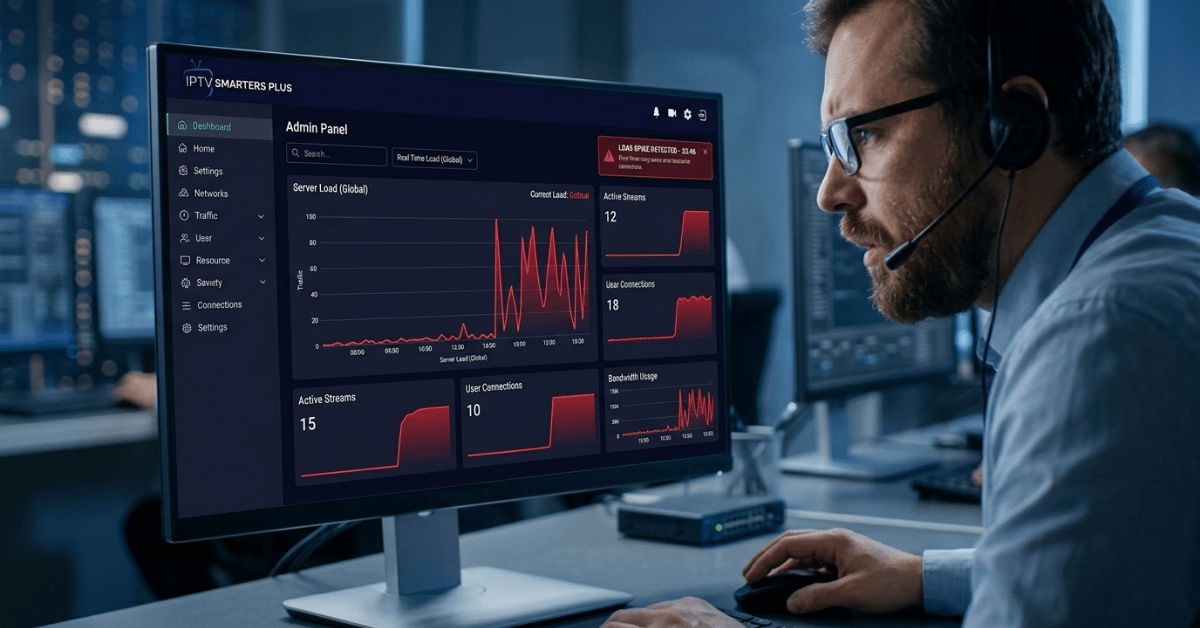
Match day buffering isn’t random. It’s arithmetic. When your panel provider oversells capacity — which the cheap ones almost always do — IPTV Smarters Plus bears the visible cost of that decision, even though the fault is entirely upstream.
Here’s the formula that should guide every reseller’s infrastructure decisions:
Sustained Bitrate Required (Mbps) = (Active Connections × Stream Bitrate) ÷ Uplink Efficiency
For a 4K HEVC stream running at 25Mbps with 80% uplink efficiency across 50 connections:
(50 × 25) ÷ 0.80 = 1,562.5 Mbps required
That’s over 1.5Gbps of clean, sustained throughput needed just for those 50 users. A panel provider operating on a 1Gbps shared uplink — which is more common than you’d think at the budget end — simply cannot deliver that. IPTV Smarters Plus then gets blamed. Your customers unsubscribe. Your reputation takes the hit.
This is precisely why resellers who are serious about longevity move towards panel providers backed by UK-based 10Gbps+ uplink servers. Platforms like Preimium.com are built around this infrastructure reality — not the marketing promise of unlimited connections on a suspiciously cheap monthly rate.
Comparing Panel Infrastructure: What IPTV Smarters Plus Actually Needs to Perform
| Feature | Budget Panel | Premium UK Panel |
|---|---|---|
| Server Uplink | Shared 1Gbps | Dedicated 10Gbps+ |
| 4K HEVC Support | Inconsistent | Stable |
| Load Balancing | None / manual | Automated |
| Match Day Stability | High failure rate | Engineered for spikes |
| DNS Poisoning Protection | Absent | Active mitigation |
| IPTV Smarters Plus Compatibility | Basic M3U only | Full Xtream API |
| Support Response | 24–72 hours | Sub-4 hours |
| UK Compliance Architecture | None | Built-in |
The distinction matters enormously when you’re managing IPTV Smarters Plus deployments across dozens of customers. Xtream Codes API integration — rather than raw M3U — gives IPTV Smarters Plus far more control over stream switching, EPG accuracy, and VOD management. Budget panels often don’t support proper Xtream handshakes, which means your customers see broken EPGs and missing catch-up — and blame the app.
How AI-Driven ISP Blocking Is Changing IPTV Smarters Plus Deployments in 2026
This is the part most reseller guides are still ignoring. UK ISP enforcement has matured considerably. We’re no longer dealing with static IP blacklists that you could route around with a basic VPN recommendation. In 2026, major UK internet providers are deploying machine-learning traffic classification systems that identify IPTV stream patterns at the packet level — regardless of the domain or IP address in use.
What this means for IPTV Smarters Plus users is that the old advice of “just use a VPN” is increasingly insufficient. The classification systems now flag VPN-tunnelled IPTV traffic using behavioural signatures — sustained high-bitrate encrypted flows with periodic segment requests that match HLS delivery patterns.
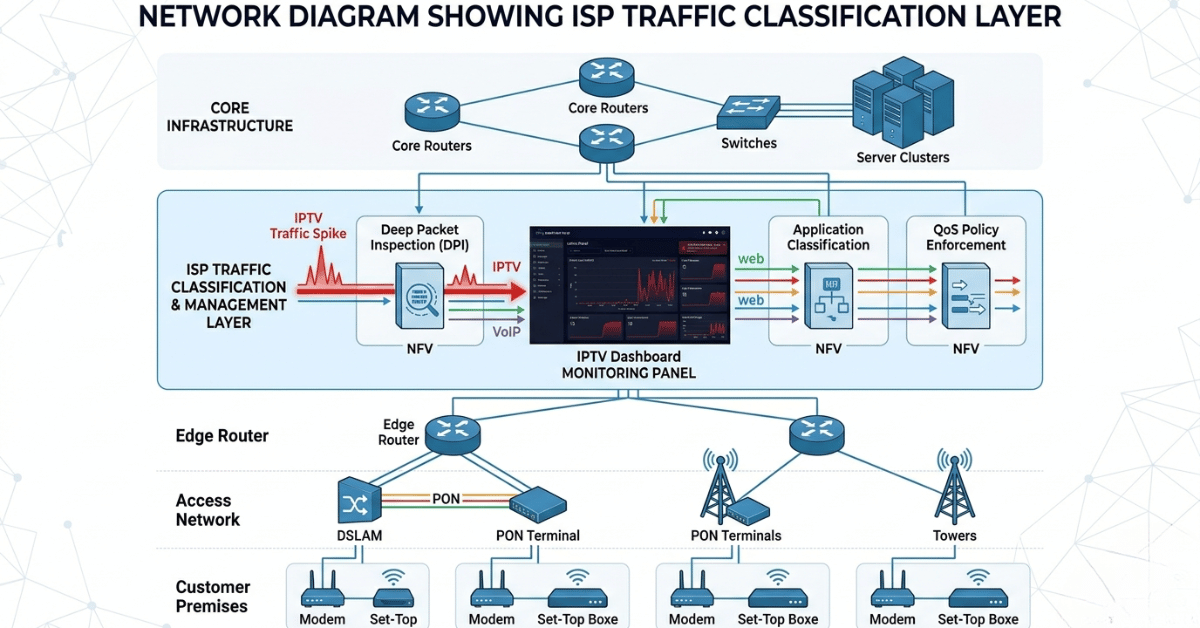
The forward-thinking response is infrastructure-level — not app-level. Resellers working with providers that rotate server endpoints, use obfuscated delivery protocols, and operate across multiple UK datacentre locations are seeing far lower disruption rates. IPTV Smarters Plus itself can’t solve an ISP blocking problem. But a panel built with DNS resilience, automatic endpoint failover, and obfuscated stream paths can absorb those blocks invisibly, before your customer even notices.
Pro Tip: Ask your panel provider directly: “What’s your response protocol when an IP gets classified and blocked by a major UK ISP?” If they don’t have a clear, technical answer, you already have your answer about their infrastructure maturity.
Preimium.com operates with exactly this kind of blocking resilience built into the architecture — not bolted on as an afterthought.
Configuring IPTV Smarters Plus Correctly: What Most Resellers Skip
Getting IPTV Smarters Plus to perform reliably for end users isn’t just about issuing credentials. There’s a configuration layer most resellers hand off entirely to the customer — and that’s where experience degrades fast.
The app supports multiple stream formats. Always push customers toward Xtream Codes login rather than M3U URL where your panel supports it. The reason is simple: Xtream API connections give IPTV Smarters Plus access to real-time stream state data. The app can detect a failing stream and request an alternative source automatically, whereas M3U connections have no such feedback mechanism. That difference shows up as fewer freeze events and fewer support messages at 9PM on a Saturday.
- Set the stream timeout in IPTV Smarters Plus to no lower than 10 seconds — prevents false disconnections on variable FTTC connections
- Enable hardware decoding on Android devices — dramatically reduces CPU load on 4K HEVC streams
- Advise customers against running IPTV Smarters Plus through smart TV browsers — native app or Firestick only for consistent performance
- Turn off simultaneous connection stacking — customers who run IPTV Smarters Plus on three devices simultaneously on a single-connection subscription cause upstream panel stress
- Regularly update the EPG source URL — stale EPG data is the number one cause of “the guide isn’t working” tickets
Customer Churn Psychology: Why They Blame IPTV Smarters Plus First
Understanding why customers unsubscribe — and what they actually say when they do — is as important as the technical setup. In my experience, customers almost never say “your server had a packet loss event during a congestion window.” They say “the app keeps freezing” or “IPTV Smarters Plus stopped working.”
The app becomes the face of the failure, even when it’s the last thing responsible. This creates a specific churn psychology: customers lose confidence in the app, switch to a competitor, and then often experience the same issues — because the infrastructure problem follows them. But you’ve still lost the renewal.
The counter-strategy is proactive communication. When you know a major sports event is approaching, send a brief message — “Servers have been optimized for this weekend’s fixtures.” It sets expectations, signals professionalism, and significantly reduces the perceived impact if any minor disruption does occur. Resellers who communicate proactively retain customers through imperfect events.UK IPTV Resellers who go silent until a complaint arrives lose them.
Pro Tip: Create a simple status page — even a basic one — where customers can check service health. Knowing there’s a known issue being resolved converts an angry cancellation into a patient customer more often than you’d expect.
IPTV Smarters Plus Reseller Success Checklist
Five execution-focused steps — no filler:
- Audit your panel provider’s uplink capacity — if they can’t confirm 10Gbps+ dedicated throughput, you are one busy match day away from a reputation crisis. Move to Preimium.com before it happens, not after.
- Switch all customer setups to Xtream Codes API — stop issuing raw M3U links. Xtream integration in IPTV Smarters Plus unlocks automatic stream failover and proper EPG management.
- Build a customer onboarding process — connection type, device type, router model. Collect this before issuing any credentials. Use it to pre-empt configuration issues.
- Set up a monitoring alert for concurrent connections — if a customer is hammering three simultaneous streams on a single-connection plan, you’ll see it on the panel before they complain about it.
- Establish an ISP blocking response protocol with your provider — know exactly what happens and how fast, the moment a server IP gets flagged. If your provider doesn’t have this documented, your IPTV Smarters Plus customers will be the ones who find out the hard way.