Three months into offering 4K as a premium tier, I was feeling rather pleased with myself. Margins were better, customers seemed excited about it, and I’d upsold about thirty subscribers onto the higher-priced package. Then a Champions League quarterfinal happened on a Tuesday evening. Within twenty minutes of kickoff, my phone was lighting up like a Christmas tree. Buffering. Pixelation. Complete stream drops. Not on the HD lines — exclusively on the 4K subscriptions.
The provider I was using had technically accurate marketing. They did offer IPTV 4K streams. What they hadn’t mentioned — and what I hadn’t thought to ask — was that their 4K infrastructure shared the same CDN nodes as their HD content. Under simultaneous high load, the 4K streams were the first to degrade because they demanded the most bandwidth per connection. I spent that entire evening issuing credits and apologies. Several of those thirty customers never renewed.
That experience fundamentally changed how I evaluate, position, and sell IPTV 4K subscriptions. If you’re thinking about adding 4K to your reseller offering — or you’re already selling it and quietly hoping the infrastructure holds — this guide will tell you what nobody in a Telegram sales pitch ever will.
Table of Contents
- What IPTV 4K Actually Requires to Work Properly
- Why the UK Market Makes 4K Delivery Harder
- The Infrastructure Questions You Must Ask Your Provider
- Device and Broadband Requirements Your Customers Need to Meet
- How to Price IPTV 4K Without Destroying Your Margins
- The Bandwidth Maths Behi
- nd Every 4K Stream
- Anti-Freeze and Why It Matters Even More at 4K
- Mistakes UK Resellers Keep Making With 4K
- Building a 4K Tier That Actually Works
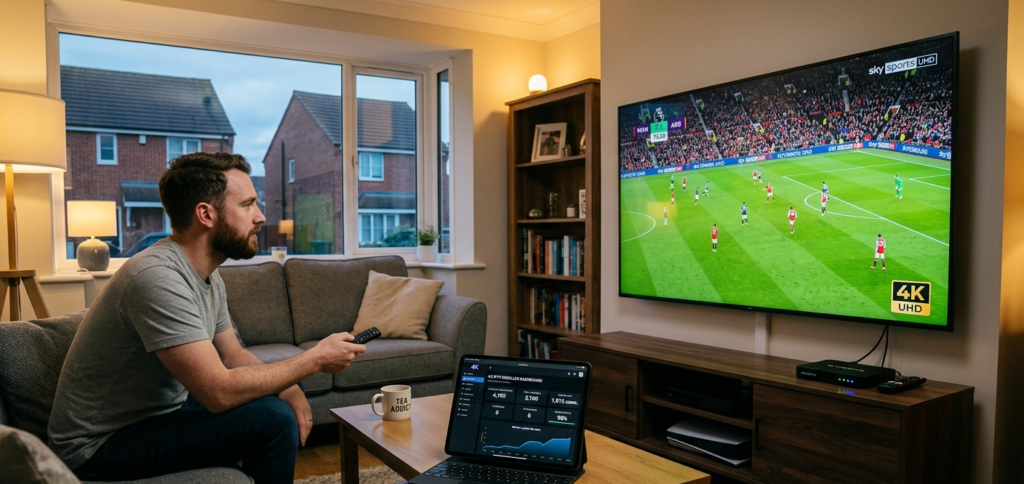
What IPTV 4K Actually Requires to Work Properly
Let me be direct about something the IPTV industry glosses over constantly: the label “4K” on a provider’s panel listing tells you almost nothing about what a customer will actually receive on their screen.
Genuine IPTV 4K — Ultra High Definition at 3840 x 2160 pixels with proper HDR encoding — requires a minimum sustained bitrate of 25 Mbps per stream to deliver the visual quality that justifies the label. Some premium 4K content with Dolby Vision or HDR10+ grading runs at 35 Mbps or above. These are not small numbers. They represent a categorically different infrastructure demand compared to HD streams running at 8 to 10 Mbps.
What many providers actually deliver when they advertise 4K is one of two things: either upscaled 1080p content stretched to 4K resolution, which looks marginally better on large screens but is fundamentally still HD source material — or genuine 4K content delivered at a compressed bitrate of 12 to 15 Mbps that introduces visible artefacts, particularly during fast-moving content like live sport. A football match with rapid camera pans is exactly the worst-case scenario for compressed 4K encoding.
In my experience, the single most revealing question you can ask any provider is: “What is the encoded bitrate of your 4K streams, and are they sourced from native 4K feeds or upscaled from HD?” The answer — or the evasion of an answer — tells you everything about whether their 4K product is genuine.
Pro Tip: Get a 4K test line from your provider and play it on a 55-inch or larger 4K television with HDR enabled. Sit close to the screen. If you can see compression artefacts during fast motion — blocky edges, colour banding, motion blur — the bitrate is insufficient and your customers with quality televisions will notice immediately.
Why the UK Market Makes 4K Delivery Harder
The UK IPTV market has characteristics that make 4K delivery technically more demanding than almost any other market in Europe. Understanding this is essential before you commit to selling IPTV 4K subscriptions at scale.
The Premier League fixture schedule creates the most concentrated simultaneous streaming demand in the world. On a Saturday afternoon or a midweek European night, you have millions of UK viewers hitting streaming infrastructure at exactly the same moment. HD streams already stress underpowered providers during these windows. 4K streams, consuming three times the bandwidth per connection, amplify that pressure dramatically.
The 3pm Saturday blackout continues to drive a specific surge in IPTV demand precisely during early afternoon kick-offs. This is when your IPTV 4K customers are most likely to be watching — and when the simultaneous load on your provider’s UK servers is at its weekly peak. If the infrastructure isn’t specifically dimensioned for 4K concurrent load during these periods, you will see degradation every single weekend from August through May.
The UK broadband landscape adds another layer of complexity. Full-fibre availability has expanded considerably across major cities, but a meaningful proportion of UK households — particularly in suburban and rural areas — are still on FTTC (Fibre to the Cabinet) connections with actual download speeds of 30 to 50 Mbps during peak hours. A 4K stream consuming 25 to 35 Mbps leaves almost no headroom for any other internet activity in the household. Your customers need to understand this before they blame buffering on your service.
Pro Tip: When onboarding a 4K customer, ask them to run a speed test at 8pm on a weekday evening — not at 11am on a Sunday morning. Peak-hour broadband speed is the number that actually matters for live sport streaming. If they’re getting less than 35 Mbps during peak hours, recommend HD until their broadband situation improves.
The Infrastructure Questions You Must Ask Your Provider
Before you sell a single IPTV 4K subscription, these questions need answered — not with marketing language, but with specific technical responses:
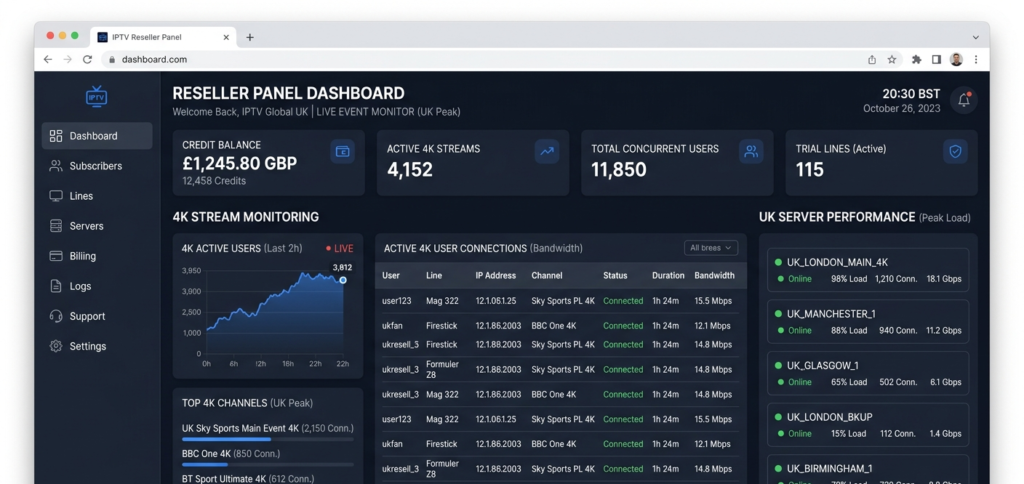
“Are your 4K streams on dedicated infrastructure or shared with HD content?” This is the question that would have saved me from that Champions League disaster. Shared infrastructure means 4K and HD streams compete for the same bandwidth under load. Dedicated 4K nodes mean the premium content has guaranteed capacity regardless of what’s happening on the HD side.
“What is the maximum concurrent 4K stream capacity on your UK servers?” Any provider who can’t answer this specifically either doesn’t know — which is concerning — or doesn’t want to tell you because the number is uncomfortably small relative to their reseller base.
“Do your UK 4K streams use a Content Delivery Network with UK-based edge nodes?” CDN architecture matters enormously for 4K delivery. A UK viewer pulling a 35 Mbps 4K stream from a server physically located outside the country will experience higher latency and more susceptibility to packet loss than one pulling from a UK-based edge node. This translates directly to buffering during fast-motion content.
“What is your 4K uptime during Premier League peak hours specifically?” A provider who tracks this and can give you honest numbers is operating at a professional level. One who responds with vague assurances about “premium infrastructure” is not.
Device and Broadband Requirements Your Customers Need to Meet
This section is worth turning into a PDF checklist you send every new 4K subscriber. I started doing this and my 4K-related support queries dropped by roughly 60 percent within the first month.
Streaming device requirements for IPTV 4K:
Standard Firestick devices do not output 4K. Your customer needs a Firestick 4K or Firestick 4K Max specifically. The difference matters and it’s worth stating plainly before they purchase. Android TV boxes need to explicitly support 4K output — not all do, regardless of price.
MAG boxes require a 4K-compatible model. The widely used MAG 254 and MAG 256 are not 4K capable. MAG 522 and above handle 4K output, but customers using older MAG hardware on HD subscriptions who upgrade to 4K will see no quality improvement without also upgrading their device.
STBEmu Pro — the paid version — handles high-bitrate 4K streams considerably better than the free edition. For customers on Android devices using STBEmu, this upgrade is worth recommending as part of the 4K onboarding process.
HDMI cable requirements: An HDMI 2.0 or higher cable is required for 4K HDR passthrough. HDMI 1.4 cables physically cannot carry 4K HDR signals. This is a support query I’ve received multiple times from customers who had correct devices but old cables. It sounds minor until you’ve spent forty minutes troubleshooting it at 8pm on a match night.
Broadband minimum: 35 Mbps sustained during peak hours, measured via a speed test at peak time — not the headline speed on their broadband package.
How to Price IPTV 4K Without Destroying Your Margins
Pricing IPTV 4K requires accounting for higher infrastructure costs, increased support overhead, and a realistic refund rate — especially during the early months when device and broadband issues surface:
4K Net Margin=(Monthly Price−Credit Cost)×(1−Refund Rate)−Support Time Cost4K\ Net\ Margin = (Monthly\ Price – Credit\ Cost) \times (1 – Refund\ Rate) – Support\ Time\ Cost
In practical terms for the UK market in 2026: 4K credits typically cost 25 to 40 percent more than HD credits from the same provider. If your HD subscriptions are priced at £10 to £12 per month, your 4K tier should sit at £15 to £18 to maintain comparable margins.
The customer profile at this price point is generally better for resellers. Someone paying £17 per month for a 4K subscription has invested in quality hardware and has reasonable broadband. They tend to be more patient with occasional issues, more loyal when service is good, and more likely to refer others with similar setups. The £5-a-month crowd is precisely the opposite on all three counts.
Annual 4K packages at a 15 percent discount are worth offering to subscribers who’ve completed a full month successfully. Locking in twelve months of revenue from a stable 4K customer is excellent business — as long as you’ve confirmed the infrastructure holds up before encouraging that commitment.
Pro Tip: Never push annual 4K packages to new subscribers. Let them prove their device setup and broadband are adequate through the first month. The refund conversation on a twelve-month 4K package is considerably more painful than on a monthly one.
The Bandwidth Maths Behind Every 4K Stream
Understanding this makes you a more credible operator and helps you have honest conversations with providers about their capacity:
Total 4K Bandwidth Required=Active 4K Streams×30 Mbps Average BitrateTotal\ 4K\ Bandwidth\ Required = Active\ 4K\ Streams \times 30\ Mbps\ Average\ Bitrate
With 100 simultaneous 4K customers, you’re demanding 3,000 Mbps — 3 Gbps — of dedicated 4K throughput from your provider. Scale to 500 customers and that becomes 15 Gbps. These are serious infrastructure commitments. Any provider who can’t articulate how they handle this capacity either hasn’t thought about it carefully or doesn’t want you to.
Compare this to HD:
Total HD Bandwidth Required=Active HD Streams×10 Mbps Average BitrateTotal\ HD\ Bandwidth\ Required = Active\ HD\ Streams \times 10\ Mbps\ Average\ Bitrate
The same 500 customers on HD requires 5 Gbps — a third of the 4K demand. This is precisely why 4K infrastructure costs more and why cheap 4K credits should make you suspicious rather than excited.
Anti-Freeze and Why It Matters Even More at 4K
Anti-freeze technology detects stream stalls and reroutes delivery before the viewer experiences a visible interruption. For HD streams, a brief stall of a second or two is annoying. For 4K streams, the same stall creates a longer visual artefact because the player needs more time to buffer and re-establish the higher-bitrate connection.
This means anti-freeze systems need to be faster and more sensitive for 4K content. A provider whose anti-freeze works adequately for HD may still deliver a noticeably worse 4K experience during load spikes if their system isn’t calibrated for the higher bitrate demands.
Ask explicitly: does your anti-freeze system operate on 4K streams specifically, and at what response threshold? Providers with genuine 4K infrastructure will have a clear answer.
Mistakes UK Resellers Keep Making With 4K
I’ve seen these patterns repeat enough times that listing them feels almost therapeutic at this point:
Selling 4K before testing it under real load. Offering 4K subscriptions based on a provider’s marketing rather than actual stress testing during a live event. The first major match reveals every weakness simultaneously.
Not screening customer device and broadband compatibility. Activating 4K lines for customers without confirming they have 4K-capable devices and adequate peak-hour broadband. The resulting support volume is entirely avoidable.
Pricing 4K identically to HD. Absorbing significantly higher credit costs without adjusting retail pricing. This compresses margins to the point where 4K becomes a financial liability rather than a premium revenue stream.
Single-provider dependency for 4K. Having no backup option if the 4K infrastructure degrades. HD failover is not an acceptable substitute when a customer is paying for 4K.
No customer onboarding process. Activating 4K lines without sending any device or broadband guidance. The support queries that follow are predictable and preventable.
Building a 4K Tier That Actually Works
The resellers I’ve seen build sustainable 4K businesses share a consistent approach: they validated the infrastructure thoroughly before selling, they priced honestly, they onboarded customers carefully, and they maintained clear expectations about what 4K requires from the customer’s end.
For UK resellers looking to build a credible 4K offering on solid infrastructure, britishseller.co.uk provides the panel foundation I’d recommend. The UK server performance is consistent under load, the panel supports tiered subscription management cleanly, and the overall infrastructure has held up during the kind of peak demand events that expose weaker providers. It’s not a flashy pitch — it’s a stable operational base, which is exactly what 4K delivery requires.
Start with ten carefully selected 4K customers. People with confirmed 4K devices, good broadband, and realistic expectations. Prove the delivery chain across a full month of Premier League weekends before scaling it as a product line. Done properly, 4K is the best margin opportunity in the UK IPTV reseller market right now. Done carelessly, it’s your most efficient way to generate refund requests and lose customers permanently.
✅ IPTV 4K Reseller Success Checklist
- Verify your provider’s 4K infrastructure is dedicated, not shared with HD — ask specifically about CDN separation and concurrent 4K capacity before committing to any credit purchase.
- Test 4K streams on a real 4K television during a live high-demand event — Tuesday evening Champions League or Saturday Premier League, not a quiet weekday afternoon.
- Screen every 4K customer for device and broadband compatibility — send a written checklist at signup and save yourself the inevitable 9pm support queue.
- Price 4K at a genuine premium reflecting real credit costs — £15 to £18 per month is the sustainable range for UK resellers in 2026; anything lower erodes margin to the point of unsustainability.
- Start small, validate completely, then scale — ten happy 4K customers who renew monthly and refer others are worth more than fifty who churn after the first bad match night.