It was a Monday morning and I had seven messages waiting from the same customer. He’d spent Sunday evening trying to get his IPTV playlist working on his new Smart TV. The M3U URL I’d sent him was correct. The credentials were active. The subscription was paid and live in my panel. But every player he tried was either rejecting the playlist or loading it partially and then freezing. By message four his tone had shifted from polite confusion to something considerably less diplomatic.
The problem, it turned out, wasn’t the playlist itself. It was a combination of his player app caching an old version of the URL, his router blocking a specific port used by the stream delivery, and a MAG box compatibility issue he hadn’t mentioned he was also trying. Three separate problems presenting as one. And because I hadn’t built a proper IPTV playlist troubleshooting process, I was diagnosing it in real time through WhatsApp on a Monday morning instead of sleeping.
That experience pushed me to understand playlists properly — not just how to hand them to customers, but how they work, why they break, and how to build a support process around them that doesn’t consume your life. If you’re a UK reseller handling IPTV playlist delivery and support, here’s everything that actually matters.
Table of Contents
- What an IPTV Playlist Actually Is and How It Works
- M3U vs Xtream Codes — Which Format to Use and When
- Why Playlists Break and How to Diagnose It Fast
- Device Compatibility Across the UK Market
- How to Deliver Playlists Professionally to Your Customers
- The Technical Load Behind Playlist-Based Delivery
- Security Risks With Shared Playlists
- Building a Playlist Support System That Scales
- Choosing the Right Panel for Clean Playlist Management
What an IPTV Playlist Actually Is and How It Works
Most customers — and honestly, more resellers than I’d like to admit — think of an IPTV playlist as a static file. Something you send once and it either works or it doesn’t. That mental model causes endless confusion and unnecessary support queries.
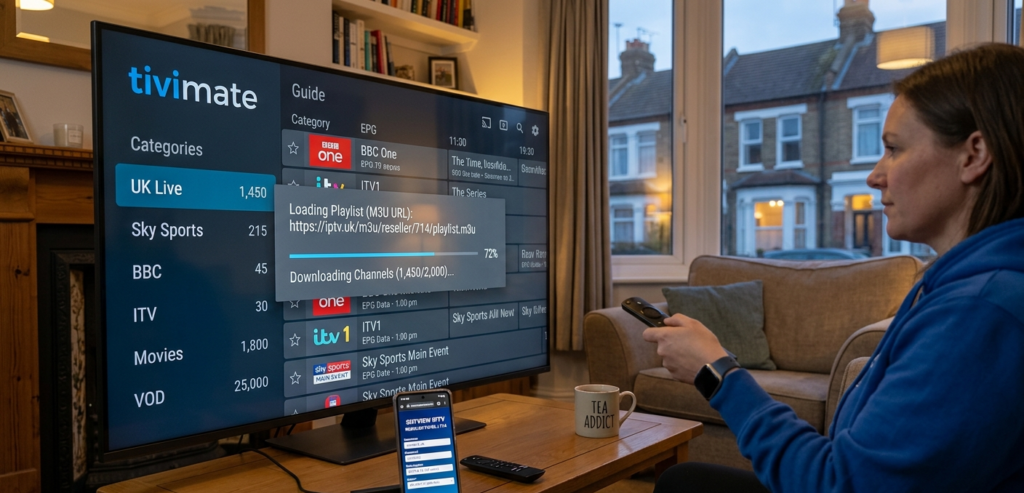
An IPTV playlist is a dynamic reference document. In its most common form, the M3U format, it’s a text file containing a structured list of stream URLs, each pointing to a live or on-demand source hosted on your provider’s servers. When a customer loads that playlist into their player app — TiviMate, IPTV Smarters Pro, GSE Smart IPTV, or similar — the app fetches the playlist, parses the stream URLs, and uses those URLs to pull content directly from the source.
Here’s what makes this important for resellers to understand: the playlist itself is just a map. The quality of the journey depends entirely on the roads — the provider’s server infrastructure, CDN routing, and stream encoding. A perfect M3U playlist pointing to poorly maintained UK servers delivers a worse experience than a basic playlist pointing to solid infrastructure. The playlist gets the blame. The infrastructure is the actual problem.
This is why I’ve always been sceptical of resellers who spend hours tweaking playlist formatting while tolerating mediocre providers. Fix the infrastructure first. The playlist mechanics follow.
Pro Tip: Always keep a working copy of every customer’s active playlist credentials in your panel notes. When a customer claims their playlist has stopped working, your first step should be testing those exact credentials yourself on a clean device before assuming the problem is on their end.
M3U vs Xtream Codes — Which Format to Use and When
This is the question I get most frequently from newer resellers, and the answer matters because getting it wrong creates device compatibility headaches down the line.
M3U playlists are essentially a direct URL — typically formatted as http://server:port/get.php?username=X&password=Y&type=m3u — that any compatible player can fetch and parse. They’re universally supported across virtually every IPTV player app and most Smart TV applications. They’re easy to share, easy to test, and easy to troubleshoot. The limitation is that they’re static snapshots — if your provider updates stream URLs or restructures their channel list, customers need a refreshed playlist URL or they’ll see outdated or broken entries.
Xtream Codes credentials — a server URL, username, and password — work differently. Instead of a static file, the player app queries the provider’s API directly each time it loads, receiving a freshly generated channel list. This means channel updates, new VOD additions, and stream changes are reflected automatically without sending customers updated credentials. For resellers managing a large customer base, this is significantly more efficient than periodically redistributing updated M3U URLs.
The practical recommendation I give resellers: default to Xtream Codes credentials for customers using TiviMate,
Smarters Pro, or STBEmu — these players handle the API connection natively and deliver the best experience. Fall back to M3U for customers using Smart TV applications or less common players that don’t support Xtream Codes API connections.
MAG boxes are a separate case entirely. They use a portal URL rather than either M3U or Xtream Codes, and require the device MAC address to be registered in your panel. If your provider’s panel doesn’t support MAG portal connections properly, MAG box customers become a persistent support headache.
Pro Tip: When onboarding a new customer, ask them which device and which player app they’re using before you send any credentials. The format you send should match what their setup can actually use — not whatever’s easiest for you to copy and paste.
Why Playlists Break and How to Diagnose It Fast
In my experience, roughly 70 percent of “my playlist isn’t working” queries fall into one of five categories. Building a mental decision tree around these saves enormous diagnostic time:
Expired or suspended subscription. The most common cause and the first thing to check. Verify in your panel that the line is active, the credit balance is sufficient, and the expiry date hasn’t passed. Sounds obvious — it still catches people out regularly.
Incorrect credentials entered by the customer. A single character error in a username, password, or server URL breaks the connection entirely. Ask the customer to copy and paste credentials directly rather than typing them manually. Case sensitivity matters.
Player app cache issues. Some player apps — particularly on Android devices — cache playlist data locally. If credentials were updated or the stream URLs changed, the cached version causes connection errors. The fix is clearing the app cache or deleting and re-adding the playlist from scratch.
ISP or router port blocking. Some UK internet service providers filter or throttle traffic on specific ports commonly used by IPTV stream delivery. This manifests as playlists loading but streams failing to play, or connections timing out. The diagnostic test is attempting the same credentials on a mobile data connection — if it works on 4G or 5G but not on the home broadband, the ISP is the issue rather than the service.
Provider-side server issues. If multiple customers report identical symptoms simultaneously, the problem is upstream. Check with your provider directly rather than spending time on individual customer troubleshooting.
Diagnostic Efficiency=Issues Resolved First ContactTotal Support Queries×100Diagnostic\ Efficiency = \frac{Issues\ Resolved\ First\ Contact}{Total\ Support\ Queries} \times 100
Targeting 80 percent first-contact resolution on playlist queries is realistic if you build a proper diagnostic process. Below 60 percent suggests you’re missing a systematic approach and relying too much on ad-hoc troubleshooting.

Device Compatibility Across the UK Market
The UK customer base uses a wider range of devices than almost any other market, and each device category has distinct playlist format requirements that resellers need to navigate confidently.
Firestick (standard and 4K variants): Works well with M3U via GSE Smart IPTV or with Xtream Codes via IPTV Smarters Pro. TiviMate is the premium option for Firestick users who want the most polished experience — it handles Xtream Codes credentials natively and manages EPG (Electronic Programme Guide) data cleanly.
Android TV boxes: The most flexible category. Support M3U, Xtream Codes, and portal connections depending on the player installed. STBEmu Pro is particularly strong on Android TV hardware, handling high-bitrate streams including 4K better than most alternatives.
MAG boxes: Portal URL and MAC address registration only. No M3U or Xtream Codes support in the traditional sense. Older MAG models — 254, 256 — are still widely used across the UK but are limited to HD resolution. If your panel doesn’t support proper STB portal connections, MAG users are a poor fit for your service.
Smart TVs (Samsung, LG, Hisense): Vary significantly by model and year. Samsung Tizen OS and LG webOS both have IPTV player applications available, but Smart TV apps are generally the least reliable delivery mechanism due to platform restrictions and limited player quality. M3U is typically the only option, and performance is more variable than on dedicated streaming devices.
iOS and Android smartphones/tablets: Useful for testing and occasional viewing, but rarely the primary device for UK IPTV customers. IPTV Smarters Pro works well on both platforms with Xtream Codes credentials.
Pro Tip: Create a simple device-to-format reference card for yourself and your support process. When a customer contacts you, identify their device immediately and you’ll know exactly which credential format to send and which player to recommend — without thinking about it each time.
The Technical Load Behind Playlist-Based Delivery
Understanding what happens server-side when customers load playlists helps you ask better questions of providers and identify infrastructure problems earlier:
Every time a customer’s player app refreshes an M3U playlist or queries the Xtream Codes API, it generates a request to your provider’s server. For a reseller with 200 customers who all have their apps set to auto-refresh playlists every four hours, that’s 1,200 API requests per day from your customer base alone — before a single stream is played.
Daily API Load=Customers×Playlist Refresh Frequency (per day)Daily\ API\ Load = Customers \times Playlist\ Refresh\ Frequency\ (per\ day)
Quality providers build their panel infrastructure to handle this load without performance degradation. Cheaper panels running on under-resourced servers can exhibit slow playlist loading times — often misdiagnosed as a customer broadband issue when it’s actually a provider panel performance problem.
The symptom to watch for: if customers report that their channel list takes a long time to load initially but streams fine once playing, the panel server is under strain. It’s a provider infrastructure problem, not a playlist format issue.
Security Risks With Shared Playlists
This is something I wish more resellers thought about before it became a problem. An IPTV playlist URL or Xtream Codes credentials are essentially a key to an active subscription. If a customer shares their credentials — intentionally or accidentally — with others, those additional users are consuming stream connections from your provider’s allocation.
Most panels allow you to set maximum simultaneous connection limits per subscription. Use this feature. A single-connection subscription should be configured to allow exactly one concurrent stream. When a second connection attempts to use the same credentials, it should either be blocked or replace the first connection depending on your panel settings.
If a customer on a single-connection subscription regularly reports being disconnected while watching, there’s a reasonable chance their credentials have been shared. Check your panel’s connection logs — most quality panels show connection history including IP addresses. Multiple simultaneous connections from different IP addresses on a single-connection line is conclusive evidence.
Pro Tip: Include a clear statement in your customer onboarding that credentials are for single-household use only and that sharing credentials may result in connection disruptions or suspension. Most customers aren’t deliberately abusing connections — they’ve shared their login with a family member without realising the implications. A clear upfront policy prevents most of these situations.
Building a Playlist Support System That Scales
When you have ten customers, handling playlist queries ad-hoc is manageable. At fifty customers it becomes time-consuming. At one hundred and beyond, without a system, it becomes a part-time job you didn’t sign up for.
The support infrastructure I’ve built around playlist management includes three components:
A written onboarding guide specific to each major device type — Firestick, MAG, Android box, Smart TV. Sent automatically with every new subscription. Covers credential entry, recommended player apps, and the most common first-week setup issues. Writing this once eliminates the same questions repeatedly.
A diagnostic script for incoming support queries. The first three questions for any playlist issue: What device are you using? What player app? When did it last work? Those answers narrow the cause to one or two possibilities in the majority of cases.
A provider communication protocol for upstream issues. When multiple customers report identical problems simultaneously, the investigation starts with the provider rather than individual customer troubleshooting. Having a direct support contact at your provider — not just a general Telegram group — is worth more than almost any other operational asset.
Choosing the Right Panel for Clean Playlist Management
The panel you operate through directly affects how efficiently you can manage playlist delivery, credential generation, and subscription monitoring.
A quality reseller panel should generate both M3U URLs and Xtream Codes credentials for every subscription automatically, support MAG portal connections with MAC address management, allow you to set connection limits per line, show real-time connection monitoring including active stream data, and let you regenerate credentials quickly when a customer reports a security concern.
Panels that require manual credential creation, don’t support multiple output formats, or lack connection monitoring create operational friction that compounds as your customer base grows.
britishseller.co.uk provides the panel infrastructure I’d recommend for UK resellers who want clean playlist management without the operational headaches. The platform handles multiple credential formats natively, UK server performance is consistent enough that playlist loading times don’t become a support issue, and the overall panel stability means you’re not regularly explaining to customers why their credentials have suddenly stopped working.
Playlist management sounds like a minor operational detail. In practice, it’s the daily interface between your service and your customers. Getting it right — the right formats, the right support process, the right panel infrastructure — is what separates resellers who scale cleanly from those who plateau because support volume consumes all their time.
✅ IPTV Playlist Reseller Success Checklist
- Match credential format to device before sending anything — M3U for broad compatibility, Xtream Codes for TiviMate and Smarters Pro users, portal URL for MAG boxes. Sending the wrong format creates avoidable first-week support queries.
- Build a written onboarding guide for each major device type — invest two hours once, save twenty hours monthly in repetitive support queries.
- Set connection limits on every subscription from day one — single-connection subscriptions should allow exactly one concurrent stream; monitor connection logs for credential sharing patterns.
- Develop a five-question diagnostic script for playlist issues — device, player app, last working time, broadband type, and whether it works on mobile data. These five answers resolve the majority of queries without further investigation.
- Choose a panel that generates multiple credential formats natively — operational flexibility in playlist delivery is not a luxury feature; it’s a basic requirement for serving a diverse UK device landscape efficiently.