I had a customer ring me — actually ring me, not message — on a Friday evening absolutely convinced his IPTV subscription had stopped working. Streams were perfect on my end. Panel showed his line active and healthy. Credits were fine. Provider status was green across the board.
Twenty minutes into troubleshooting, we found it. He’d updated his IPTV app that afternoon. The new version had wiped his playlist configuration and reset the EPG source to a broken default. His subscription was working flawlessly. The app had simply eaten itself during an automatic update and taken his viewing experience down with it.
I refunded him a week anyway — just to keep the goodwill intact. But that Friday evening cost me time, goodwill credit, and a small cash refund for a problem I had absolutely zero control over.
That’s the reality of the IPTV app layer. It sits directly between your infrastructure and your customer’s television, and when it misbehaves, you wear the consequences. Getting your app recommendations right isn’t a minor detail — it’s a core part of running a professional UK reseller operation.
Table of Contents
- Why the IPTV App Is Your Hidden Business Risk
- The UK Market’s Most-Used IPTV Apps Ranked
- TiviMate — Performance Champion With One Weakness
- IPTV Smarters Pro — The Safe All-Rounder
- GSE Smart IPTV — The iOS Answer
- STBEmu and MAG Box Users — Handling Legacy Customers
- Device-by-Device App Recommendations for UK Resellers
- Building an Onboarding System That Cuts Support Volume
- The Real Cost of Getting App Choice Wrong
Why the IPTV App Is Your Hidden Business Risk
Most resellers obsess — rightly — over provider stability and panel performance. Those things matter enormously. But there’s a layer that gets systematically underestimated, and it’s the one your customers interact with every single time they sit down to watch something.
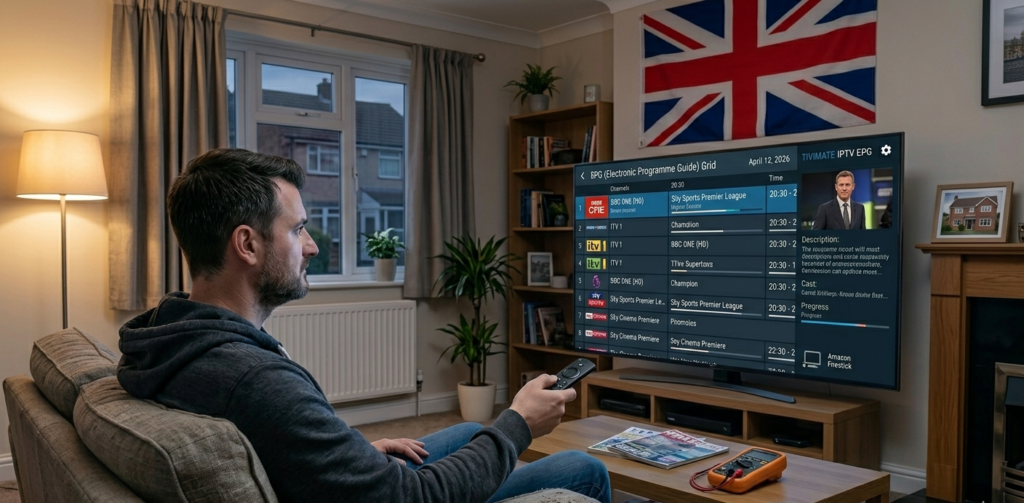
The IPTV app is the interface between your backend infrastructure and your customer’s actual experience. It handles playlist loading, channel switching speed, EPG data, catchup functionality, and error recovery when streams momentarily drop. A strong app smooths over minor upstream hiccups. A weak or misconfigured app turns even a stable, well-provisioned stream into a frustrating experience that generates support messages and cancellation requests.
In my experience, a significant portion of “my IPTV isn’t working” contacts trace back to app-side issues rather than provider or panel problems. That ratio climbs sharply after major app updates, which tend to roll out without warning and occasionally introduce configuration bugs that affect a meaningful percentage of users simultaneously.
The challenge for resellers is that you don’t control the app. You don’t publish it, you don’t update it, and you can’t roll back a bad release. What you can control is which app you recommend, how you onboard customers onto it, and how quickly you identify when an app-side issue is affecting multiple customers at once.
Pro Tip: When you receive three or more identical support contacts in a short window — same symptom, different customers — check whether a major app update has rolled out that day before spending time on provider-side diagnosis. App update issues present as sudden, clustered complaints rather than gradual increases.
The UK Market’s Most-Used IPTV Apps Ranked
The UK reseller market has broadly settled around four apps that between them cover virtually every device type and customer profile you’ll encounter. Understanding each one properly — not just which is “best” in the abstract, but which suits which customer in which situation — is what separates resellers who generate manageable support volumes from those permanently firefighting.
The four are TiviMate, IPTV Smarters Pro, GSE Smart IPTV, and STBEmu. Each has a specific niche, a specific strength, and a specific set of situations where it’s the wrong recommendation.
TiviMate — Performance Champion With One Weakness
TiviMate is the benchmark. On Android-based devices — Firestick, Android TV boxes, Nvidia Shield, most Android-based Smart TV platforms — nothing else touches it for raw performance, interface quality, and reliability under load.
The EPG loads quickly, handles large channel lists without sluggishness, and the layout is genuinely intuitive once customers are past initial setup. The premium version, unlocked via the TiviMate Companion app, adds multiple playlist support, automatic EPG refresh scheduling, recording capability, and parental controls. For customers who are reasonably tech-comfortable, it’s the obvious recommendation.
Where TiviMate has a genuine weakness is initial setup complexity for less technical customers. It doesn’t appear natively in the Amazon App Store, so Firestick users need to sideload via the Downloader app — a process that’s straightforward for anyone with a baseline of tech confidence but a genuine barrier for older customers or those with no experience of sideloading.
I solve this with a setup guide specific to my panel credentials. One document, eight steps, screenshots for every stage. It takes an hour to produce properly and saves more support time than almost any other operational decision I’ve made.
Pro Tip: In TiviMate’s settings, configure EPG auto-refresh to run between 3am and 5am. This ensures customers always have current programme data without the refresh process interfering with active viewing sessions. It’s a tiny configuration detail that eliminates a disproportionate number of “EPG not working” contacts.
IPTV Smarters Pro — The Safe All-Rounder
When I’m uncertain about a customer’s technical confidence, or when they’re accessing their IPTV subscription across multiple device types and operating systems, IPTV Smarters Pro is my recommendation.
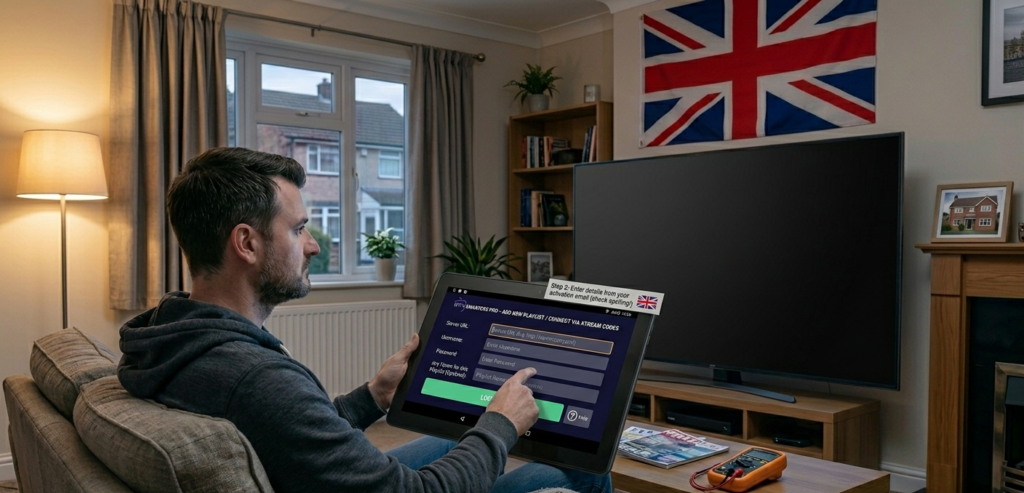
It’s available natively across Firestick, Android, iOS, and Windows — which means one app handles a customer who watches on their television, their iPad, and their laptop without requiring different setups on each device. The interface is clean and approachable, and the Xtream Codes login process is genuinely intuitive even for first-time users.
Performance with large playlists is where Smarters Pro sits slightly behind TiviMate. On older hardware — an ageing Firestick generation or a budget Android box — channel list loading can feel noticeably slower than TiviMate on equivalent hardware. For customers on current-generation devices, the difference is minimal. For those on older equipment, it’s worth factoring into your recommendation.
GSE Smart IPTV — The iOS Answer
Apple’s App Store is significantly more restrictive about what IPTV applications it will host, which narrows the realistic options for iPhone and iPad users considerably. GSE Smart IPTV has been the most consistently available and most reliably maintained option for iOS in the UK market.
It’s not as polished as TiviMate. The interface requires a bit more configuration patience, and the EPG experience is functional rather than elegant. But it’s stable, it supports both M3U and Xtream Codes connections, and it works without the device compatibility issues that periodically affect alternatives on iOS.
For customers on Apple devices, GSE is the recommendation. Set expectations appropriately — it’s a capable tool, not a premium experience — and provide clear setup instructions specific to Xtream Codes connection.
Pro Tip: Keep a separate, iOS-specific onboarding document for GSE Smart IPTV. The configuration process differs enough from Android apps that combining it into a general guide creates confusion. Distinct documents per device category reduce the “I followed your instructions but it looks different” contacts significantly.
STBEmu and MAG Box Users — Handling Legacy Customers
STBEmu occupies a specific niche: customers who are used to hardware set-top box environments and find standard app interfaces disorienting. It emulates a MAG box experience on Android devices, using a portal URL connection rather than Xtream Codes credentials.
This matters because some customers — particularly those who’ve been in the IPTV ecosystem for several years — are deeply comfortable with the STB interface and resistant to changing it. Rather than spending support time trying to migrate them onto TiviMate or Smarters Pro, STBEmu lets them stay in a familiar environment on modern hardware.
The operational requirement is that your panel supports portal URL connections, which most current reseller panels do. Verify this before recommending STBEmu to customers, and confirm the specific portal URL format your panel uses — it differs slightly between panel providers.
Genuine MAG box hardware is increasingly rare and increasingly problematic to support. When I encounter customers still running physical MAG devices, I actively recommend migration to an Android box running TiviMate. The support overhead from legacy MAG hardware is disproportionate to the customer value, and the viewing experience on modern software is meaningfully better.
Device-by-Device App Recommendations for UK Resellers
The UK market’s device mix is dominated by Firestick, but it’s more varied than many resellers assume. Here’s the framework I use:
Firestick (all generations): TiviMate via sideload for tech-comfortable customers; IPTV Smarters Pro via sideload for those who prefer simplicity. Both require the Downloader sideload process — account for this in your setup documentation.
Android TV boxes: TiviMate or IPTV Smarters Pro, both available directly from the Play Store. Onboarding is straightforward and support volume from this device type is generally low.
iPhone and iPad: GSE Smart IPTV without exception. Manage expectations about interface polish.
Windows PC and laptop: IPTV Smarters Pro has a functional Windows client. For customers primarily watching on desktop, it covers the basics adequately.
Smart TVs: This is the most complicated category. Manufacturer app stores are restrictive and inconsistent. Samsung and LG offer limited options and performance varies dramatically by TV model and firmware version. For Smart TV customers experiencing issues with native apps, recommending a budget Android dongle connected via HDMI is frequently the most practical solution — and one that produces better results than fighting platform limitations.
Building an Onboarding System That Cuts Support Volume
The single highest-return operational investment available to a UK IPTV reseller is a properly built onboarding system. Not a complicated automated pipeline — just clear, device-specific documentation sent to every new customer at activation.
In practice, this means four documents: Firestick setup, Android box setup, iOS setup, and Windows setup. Each document covers app download, Xtream Codes connection with your panel’s specific credential format, EPG configuration, and three to four common troubleshooting steps for issues that generate the majority of first-week contacts.
Support Time Saved=Monthly New Customers×Avg. Setup Queries Per Customer×Avg. Resolution Time (hrs)\text{Support Time Saved} = \text{Monthly New Customers} \times \text{Avg. Setup Queries Per Customer} \times \text{Avg. Resolution Time (hrs)}
At a growth rate of twenty new customers per month, where each customer averages two setup queries taking thirty minutes each to resolve, that’s twenty hours of support time monthly that a solid onboarding document reduces to near zero. At any realistic valuation of your time, that’s significant.
Pro Tip: Review your onboarding documents after every major app update. What was accurate three months ago may now describe a slightly different interface or a changed configuration step. Outdated documentation creates exactly the confused contacts it’s designed to prevent.
The Real Cost of Getting App Choice Wrong
The financial impact of poor app guidance is real, even when it’s not immediately visible on a spreadsheet.
Monthly App-Related Loss=(Refunds Issued×Avg. Refund Value)+(App-Driven Churn×Avg. Customer LTV)+Support Hours×Hourly Rate\text{Monthly App-Related Loss} = (\text{Refunds Issued} \times \text{Avg. Refund Value}) + (\text{App-Driven Churn} \times \text{Avg. Customer LTV}) + \text{Support Hours} \times \text{Hourly Rate}
A reseller losing two customers per month to app frustration — customers who would have renewed indefinitely on a stable service — is losing more than two months of subscription revenue per customer. Lifetime value loss compounds quietly but meaningfully over the course of a year.
For UK resellers building on a solid panel foundation, britishseller.co.uk provides clean Xtream Codes integration that works properly across all four apps covered here. That compatibility matters more than it might initially seem — panel-side credential issues that manifest as app-side errors are genuinely difficult to diagnose and disproportionately damage customer trust.
Getting the app layer right — the right recommendation for the right device, the right documentation, the right update monitoring — is one of the clearest ways to separate a professional reseller operation from one that perpetually feels like it’s held together with goodwill and crossed fingers.
✅ IPTV Reseller Success Checklist
1. Assign a specific app to every device type and document it formally. Leaving customers to choose independently creates inconsistency, compatibility issues, and avoidable support volume.
2. Build separate onboarding documents for each major device category. A single combined guide creates confusion at precisely the moment new customers need clarity most.
3. Monitor for app update releases across all recommended apps. When clustered, identical support contacts arrive simultaneously, check app update logs before diagnosing provider or panel issues.
4. Actively migrate legacy MAG box customers to modern Android hardware. The support overhead is disproportionate and the experience improvement is significant — both you and the customer benefit from the transition.
5. Review all setup documentation quarterly. App interfaces change, configuration steps shift, and outdated guides create the very confusion they were designed to eliminate