A customer messaged me at 8pm on a weekday. Streams were fine on my end. Panel showed green across the board. But his app had decided — completely on its own — to cache outdated EPG data and lock him out of half his playlist. He’d already sent three messages before I even saw the first one. By the time I sorted it, he was already asking about cancelling.
That situation had nothing to do with my provider, my server, or my credits. It was the app. And it’s a lesson that took me longer than I’d like to admit to fully absorb: the IPTV app your customers use is part of your product, whether you configured it or not.
If you’re running a reseller business in the UK and you’re not thinking carefully about which apps you recommend, you’re leaving a massive variable outside your control. This guide covers what I’ve learned — sometimes expensively — about which IPTV apps actually perform, and how to advise your customers properly.
Table of Contents
- Why the App Layer Is a Reseller’s Silent Problem
- The Main IPTV Apps Used in the UK Market
- TiviMate — The Gold Standard (With Caveats)
- IPTV Smarters Pro — The Versatile Workhorse
- GSE Smart IPTV and STBEmu — When and Why
- App Compatibility Across Devices
- How to Guide Customers Without Becoming Free Tech Support
- Profit Impact of App Choice
Why the App Layer Is a Reseller’s Silent Problem
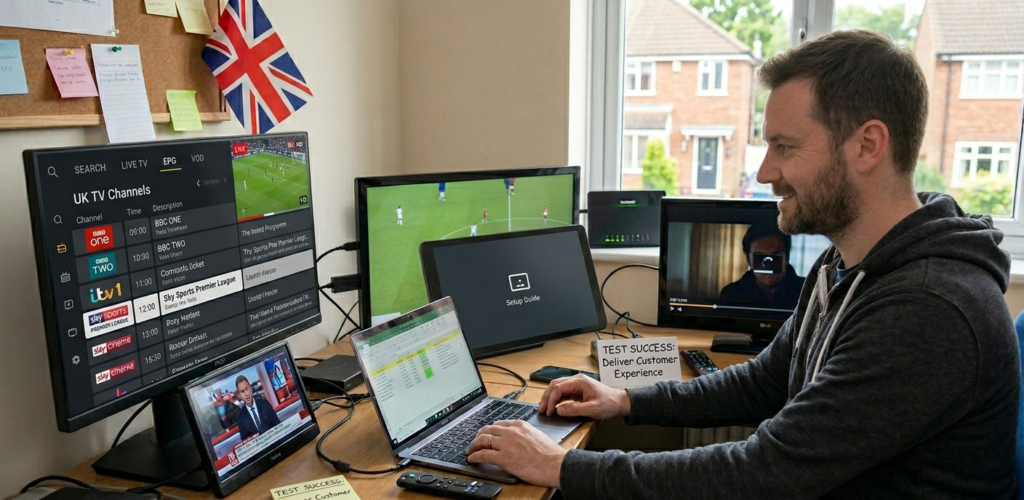
Most resellers focus almost entirely on the upstream side — provider stability, credit costs, panel management. All of that matters enormously. But there’s a layer between your panel and your customer’s television that gets overlooked constantly: the app.
The IPTV app is what translates your Xtream Codes or M3U playlist into an actual viewing experience. It handles EPG loading, channel switching speed, catchup functionality, multi-screen layout, and error handling when streams drop. A weak app makes even a solid provider look bad. A strong app can smooth over minor stream hiccups that would otherwise generate support tickets.
I’ve seen resellers with genuinely good provider setups lose customers at an alarming rate simply because they let customers self-install whatever app they Googled first. One customer ended up on a knockoff app that harvested credentials — which is a security issue that reflects on you as the operator, even though you had nothing to do with it.
Pro Tip: Always recommend a specific app for each device type. Don’t leave it open-ended. A curated recommendation looks professional, reduces support volume, and keeps your customers on apps you know behave properly with your panel setup.
The Main IPTV Apps Used in the UK Market
The UK reseller market has settled around a fairly consistent set of apps. Understanding each one — its strengths, its weaknesses, and the customer profile it suits — is genuinely useful knowledge.
The four I deal with most regularly are TiviMate, IPTV Smarters Pro, GSE Smart IPTV, and STBEmu. Each occupies a slightly different niche, and recommending the right one for the right customer reduces your support overhead considerably.
TiviMate — The Gold Standard (With Caveats)
TiviMate is, in my experience, the best-performing IPTV app available for Android-based devices — which covers Firestick, Android TV boxes, and most Smart TVs running Android OS. The interface is clean, EPG loading is fast, and it handles large playlists without the sluggishness that plagues cheaper alternatives.
The premium version — TiviMate Companion — unlocks multiple playlist support, recording functionality, and automatic EPG refresh. For a customer running a household with multiple viewing preferences, it’s genuinely excellent.
The caveat is the learning curve. TiviMate is slightly more involved to set up than some alternatives, particularly for less tech-savvy customers. The Xtream Codes login is straightforward once you know it, but first-time users sometimes struggle. I solve this by preparing a simple one-page setup guide specific to my panel — it takes an hour to create and saves dozens of support messages.
Pro Tip: TiviMate’s automatic EPG refresh setting is often overlooked. Set it to refresh in the early hours — 3am or 4am — so your customers always wake up to current programme data. It’s a small detail that significantly improves the experience.
IPTV Smarters Pro — The Versatile Workhorse
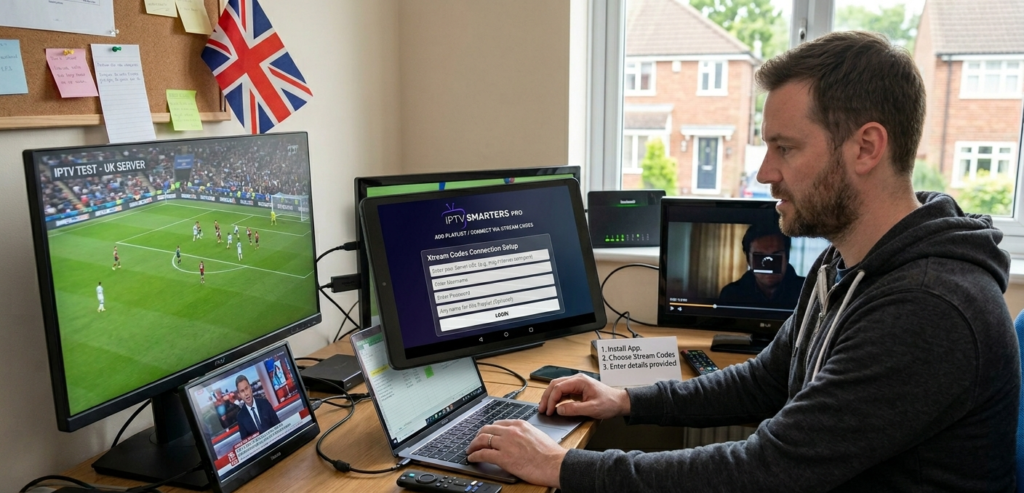
IPTV Smarters Pro has broad device compatibility and an interface that most customers find intuitive on first use. It works across Firestick, iOS, Android mobile, and Windows — which makes it the go-to recommendation when a customer is watching across multiple devices and operating systems.
The multi-screen layout is particularly good for customers who want to browse channels while keeping a stream running. EPG functionality is reliable, and the app handles both M3U and Xtream Codes connections cleanly.
Where it falls slightly short compared to TiviMate is raw performance with very large playlists. If your panel serves a high channel count, some customers on older devices will notice slower loading times in Smarters Pro. It’s not a dealbreaker for most, but worth knowing.
GSE Smart IPTV and STBEmu — When and Why
GSE Smart IPTV is my recommendation for iOS users. Apple’s ecosystem limits the options considerably, and GSE has historically been the most stable performer on iPhone and iPad. It’s not as polished as TiviMate, but it’s reliable and gets the job done.
STBEmu occupies a different category entirely. It emulates a set-top box environment — specifically MAG box behaviour — on Android devices. If you have customers who’ve come from a hardware STB background and find standard app interfaces confusing, STBEmu’s familiar layout can ease the transition. It’s also a solid fallback for customers on Android devices where other apps underperform.
The key with STBEmu is that it requires a portal URL rather than Xtream Codes credentials, which means your panel needs to support that connection type. Most modern panels do — but worth confirming before you start recommending it.
Pro Tip: Keep a reference document listing which app works best for each device type. When a new customer signs up, ask what device they’re using and send the relevant app recommendation immediately. This one habit alone cuts first-week support queries by a significant margin.
App Compatibility Across Devices
The UK market is heavily Firestick-dominant. Amazon’s streaming devices are in millions of households, and most of your customers will be on one. TiviMate via sideload is the standard recommendation here — Firestick’s app store doesn’t carry it natively, but the sideload process via Downloader is well-documented and takes about five minutes.
Android TV boxes are the second most common setup. Both TiviMate and IPTV Smarters Pro install directly from the Play Store, which simplifies onboarding considerably.
Smart TV customers are the trickiest. Manufacturer-native app stores are limited, and performance varies significantly by TV brand. For Samsung and LG, the options are restricted — in many cases, pointing the customer toward a cheap Android dongle connected to their TV is genuinely better advice than fighting with a native app that barely functions.
MAG boxes still exist in some older customer setups. STBEmu or direct portal configuration handles these — but I’d always gently encourage customers on ageing MAG hardware to consider upgrading. Supporting legacy hardware generates disproportionate support overhead.
How to Guide Customers Without Becoming Free Tech Support
This is where most resellers waste enormous amounts of time. App setup support is a black hole if you don’t manage it deliberately.
The approach that works: build a simple onboarding pack. One document per major device type — Firestick, Android box, iOS, Windows. Each document covers app download, setup with your panel credentials, and two or three common troubleshooting steps. Send it automatically when a new customer activates.
This doesn’t eliminate support queries. But it filters out the basic ones, leaving you handling only genuine issues rather than explaining where the settings button is for the fifteenth time that week.
Profit Impact of App Choice
Support Cost=Support Hours Per Month×Hourly Rate+Churn Rate×Average Customer Value\text{Support Cost} = \text{Support Hours Per Month} \times \text{Hourly Rate} + \text{Churn Rate} \times \text{Average Customer Value}
The hidden cost in reseller operations isn’t credits or server fees — it’s support time and customer churn. Both are directly influenced by app choice and how well you onboard customers onto the right app.
A reseller running 150 active lines who reduces monthly churn from 12% to 6% through better app guidance and onboarding retains roughly nine additional customers per month. At £10 per line, that’s £90 monthly recurring revenue recovered — simply from being more deliberate about something most resellers treat as an afterthought.
For UK-specific setups, I consistently point resellers toward britishseller.co.uk as a panel foundation precisely because the infrastructure plays well with all the apps covered here. Xtream Codes compatibility is clean, portal URLs work properly for STBEmu setups, and the panel interface gives you the visibility you need to support customers efficiently.
Pro Tip: Periodically test your own panel credentials in each app you recommend — TiviMate, Smarters, GSE. Apps update frequently and occasionally break compatibility with certain panel configurations. Finding this yourself beats having a customer find it first.
✅ IPTV Reseller Success Checklist
1. Assign a specific app recommendation to each device type. Never leave customers to choose for themselves — it creates inconsistency and unnecessary support volume.
2. Build an onboarding document for every major device. A simple one-pager per setup reduces first-week support queries dramatically.
3. Test your panel credentials in all recommended apps after every major app update. Compatibility breaks happen silently — find them before your customers do.
4. Factor support time into your pricing model. If an app choice is generating disproportionate queries, the cost is real even if it’s not appearing on an invoice.
5. Review your app recommendations every quarter. The IPTV app landscape shifts. What performed best 18 months ago may have been overtaken by something more stable or better supported today.
The app layer isn’t glamorous. Nobody gets into IPTV reselling because they’re excited about EPG configuration. But getting it right — recommending the correct app, onboarding properly, and staying on top of updates — is one of the clearest separators between resellers who build stable, scalable businesses and those who spend every evening firefighting avoidable support issues